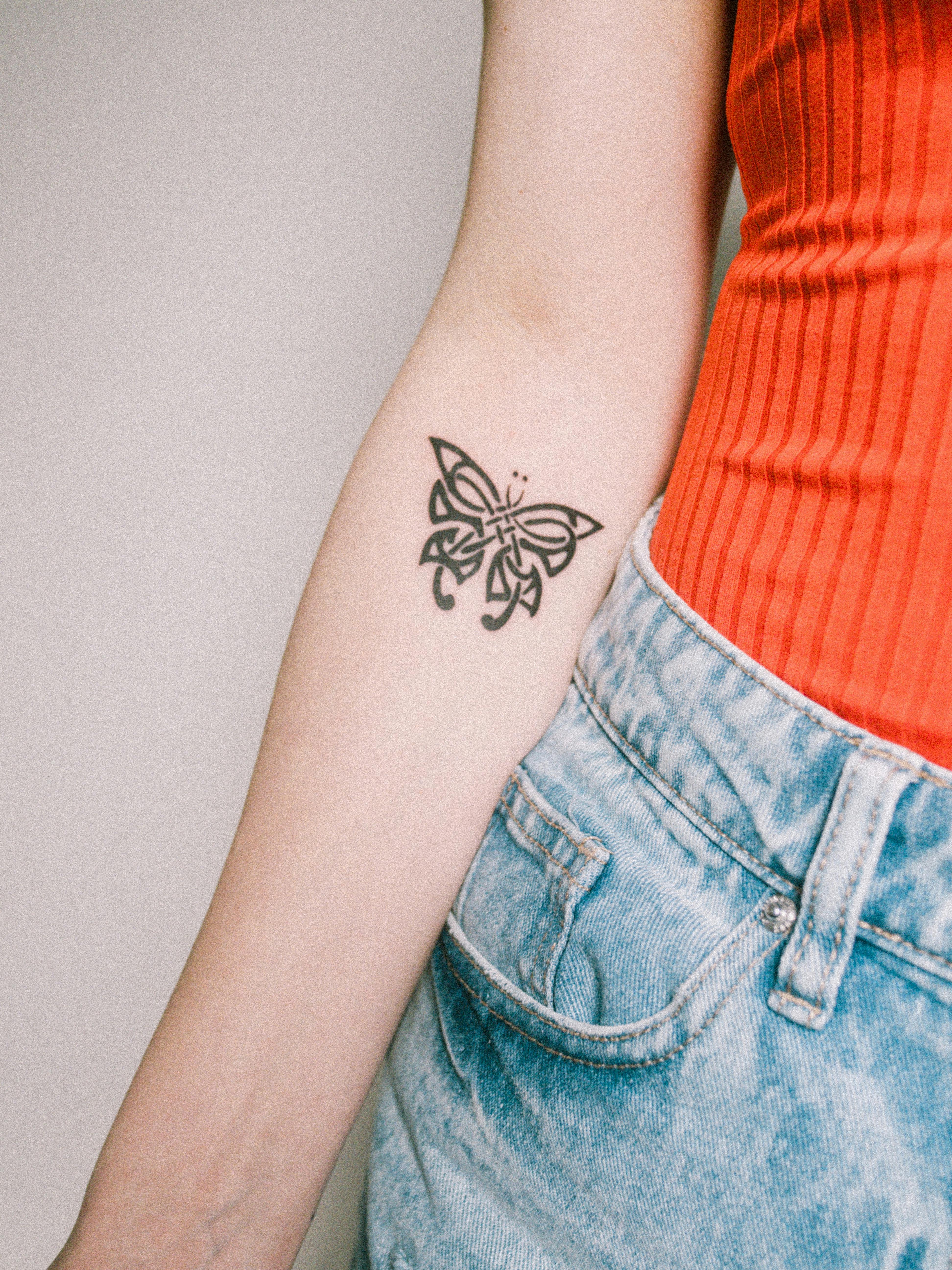
Quick Answer: A virtual tattoo try on lets clients see a photorealistic preview of a tattoo design on their actual body before any ink is applied. Makeover generates the result in under 10 seconds from a client photo. Studios use it during the consultation to confirm placement, size, and orientation with zero guesswork.
What is a virtual tattoo try on? A virtual tattoo try on is a digital preview that places a tattoo design on a photo of a client's body using AI. The result shows how the design looks at a specific size, position, and orientation on the client's real skin. It is the closest thing to seeing the finished tattoo without committing to it.
This guide draws on tattoo industry market data, client consultation research, and insights from visual transformation businesses using AI preview tools in 2026.
The situation tattoo studios face
A client books a consultation. They have a design in mind. You talk through placement for 30 minutes. They leave saying they need to think about it. A week later, they still have not confirmed.
This is not a problem with the design. It is a problem with uncertainty.
Clients cannot picture how a tattoo will look on their body. They worry about the size. They are not sure about the exact position. They wonder if it will suit their body shape. That uncertainty delays decisions. Sometimes it cancels them entirely.
The global tattoo market is valued at USD 2.43 billion in 2025 and growing at 10.67% annually through 2034. Demand is not the issue. Client confidence at the point of commitment is.
A virtual tattoo try on solves this at the consultation stage. Before the client leaves your studio, they see the result on their body. The decision is made in the room where you can guide it.
How virtual tattoo try on works
Makeover's virtual tattoo try on process takes three steps. There is nothing to download or install.
Step 1: Photograph the body area Ask your client to take or provide a clear photo of the target placement area. Arm, forearm, wrist, shoulder, back, rib, leg, calf. Any area captured clearly works.
Step 2: Apply the design Upload the client's photo and the tattoo design to Makeover. Our AI maps the design onto the body, accounting for skin tone, curvature, and natural lighting.
Step 3: Show the placement preview A photorealistic before-and-after result appears in under 10 seconds. Show the client on your studio screen. Let them confirm size, position, and orientation before any work starts.
We handle the AI. You handle the art and the relationship.
The Makeover Tattoo Confidence Framework
We developed this four-step model after working with tattoo studios, cosmetic tattoo artists, and body art professionals who consistently found that showing the result before committing reduced client hesitation and consultation drop-offs.
| Step | What to do | Outcome |
|---|---|---|
| 1. Capture | Client photographs the target body area | Real skin, real lighting, real body shape used as input |
| 2. Apply | Artist uploads the design to Makeover | AI maps design to body with photorealistic accuracy |
| 3. Preview | Client sees the result on their body in under 10 seconds | Placement, size, and orientation confirmed visually |
| 4. Confirm | Client approves before any ink touches skin | No hesitation, no regret, booking confirmed |
This framework shifts the client from "I'm not sure where I want it" to "yes, right there, that size." That is the moment consultations become bookings.
Save this framework: Share the Makeover Tattoo Confidence Framework with your studio team before your next client consultation.
What studios gain from virtual try on
Faster booking decisions. When clients see the result, they decide in the room. You stop losing bookings to clients who need to "think about it" at home and never return.
Fewer placement regrets. Placement regret is one of the most common drivers of tattoo removal. A preview lets clients confirm position before committing. The tattoo removal market continues to grow partly because of placement and sizing decisions made without a clear visual reference. Studios that offer previews reduce the chance of post-tattoo regret that damages their reputation.
Higher average booking value. Clients who can visualize a large, detailed tattoo on their body are more confident choosing it. Virtual try on makes it easier to commit to bigger, more valuable work.
Stronger consultation experience. Studios that show rather than describe stand out. A photorealistic preview on your screen is a professional differentiator that clients share and recommend.
Why Makeover for tattoo placement preview
Most virtual tattoo apps are built for consumers who want a social media novelty. They apply flat overlays to selfies. The output looks like a sticker, not a tattoo.
Makeover is built for professionals. The AI respects skin tone, body shape, and light direction from the client's actual photo. The result is a preview your client can trust as a real visual reference.
One honest note: Makeover's preview is photorealistic but not a guaranteed representation of the final tattooed result. Skin texture, healing, and ink behaviour under skin vary. We recommend presenting the preview as a placement guide, not a perfect replica.
Makeover supports visual transformation businesses from tattoo studios to dental, med spa, hair, and automotive teams. The platform is currently in early access, with waitlist access open for businesses that want to test the workflow.
Explore how other visual transformation businesses use our platform on our use cases page or read more on our blog.
Placement guide by body area
Understanding where a tattoo will sit on the body is one of the most consequential decisions in the consultation. Each placement area has its own characteristics — how much the skin moves, how age and muscle change will affect the design over time, how visible the piece will be in daily life — and clients rarely have a framework for thinking through any of it. A virtual try-on brings that framework to life visually rather than leaving it to imagination.
Forearm and inner forearm. The outer forearm is among the most popular placements precisely because it is always visible to both the wearer and others. It suits detailed designs well because the surface is relatively flat and easy to photograph clearly. Clients should understand that the inner forearm is a more intimate placement — softer light exposure, slightly more sensitive skin — and that both areas will experience some natural stretching and skin change over decades. The preview lets them confirm whether a horizontal band, a vertical script, or a wrapped design actually reads the way they imagined it.
Rib and side. The rib placement is chosen for its intimacy: the tattoo is hidden beneath clothing and only revealed deliberately. Because the ribcage curves significantly, designs placed here follow the body's contour rather than sitting flat. This means a design that looks symmetrical in a reference image may need to be elongated or adjusted vertically to read correctly once placed. A preview is especially valuable here because the client cannot easily see this area themselves during the session — confirming vertical versus horizontal orientation in advance removes guesswork on both sides.
Shoulder and upper arm. The shoulder cap and upper arm offer a versatile canvas that suits bold, graphic designs and is well-positioned for future extension into a sleeve. Clients who are considering sleeve work later need to see how a shoulder piece interacts with the natural flow down the arm. The try-on helps them think about that continuation early, rather than discovering a compositional conflict after the shoulder work is already inked.
Back and shoulder blade. The upper back and shoulder blade area offers one of the largest canvases on the body, making it ideal for complex, multi-element pieces. The challenge is that clients cannot see this area in a standard mirror without effort, which means they are trusting the artist completely. For placements that cannot be easily self-monitored during the process, the pre-session preview is not just useful — it is the only moment the client will see a realistic representation of the finished design on their own body before it is permanent.
Wrist and ankle. Both placements offer a compact, relatively flat canvas with minimal distortion risk. They are well-suited to simple designs, scripts, and minimal geometric work. The preview here primarily addresses scale: clients frequently misjudge how small a wrist tattoo will look once translated from a reference image to actual skin. Seeing the design at the correct size on their own wrist before the session prevents the most common complaint — "I wish I had gone slightly larger."
Calf and thigh. The calf wraps significantly, which affects how circular or wide designs read when photographed straight-on. What looks like a full ring in a reference image will appear compressed from a front angle. The thigh offers more flat surface and suits larger, more complex pieces. In both cases, the try-on answers the question clients most often cannot articulate on their own: will the design look too large, too small, or positioned too high or too low once I am standing up?
For every placement area, the virtual try-on addresses the same fundamental uncertainty: will it look the way I picture it? That question, left unanswered before the session, is the reason consultations stall.
Bottom-line summary
Client uncertainty at the point of commitment is the biggest conversion barrier for tattoo studios. A virtual tattoo try on removes that barrier by showing the client exactly how a design looks on their body before any ink is applied. Makeover generates photorealistic placement previews in under 10 seconds from a real client photo. Studios that show the result in the room close more bookings, see fewer placement-related regrets, and build a consultation experience worth recommending. The technology requires no installation and works on any browser-enabled device.
Start your free preview
Show clients their tattoo before you start. Join the Makeover waitlist and get 3 free transformations. No credit card required.