Show customers their exact wheel and finish on their own vehicle before you pull a single lug nut
Photograph the vehicle on your lot. Makeover renders the wheel diameter, width, offset, and finish you're quoting — mapped onto their actual fenders and ride height — in under 10 seconds. They approve the package before the tire machine starts.
Custom-built for your industry · No commitment
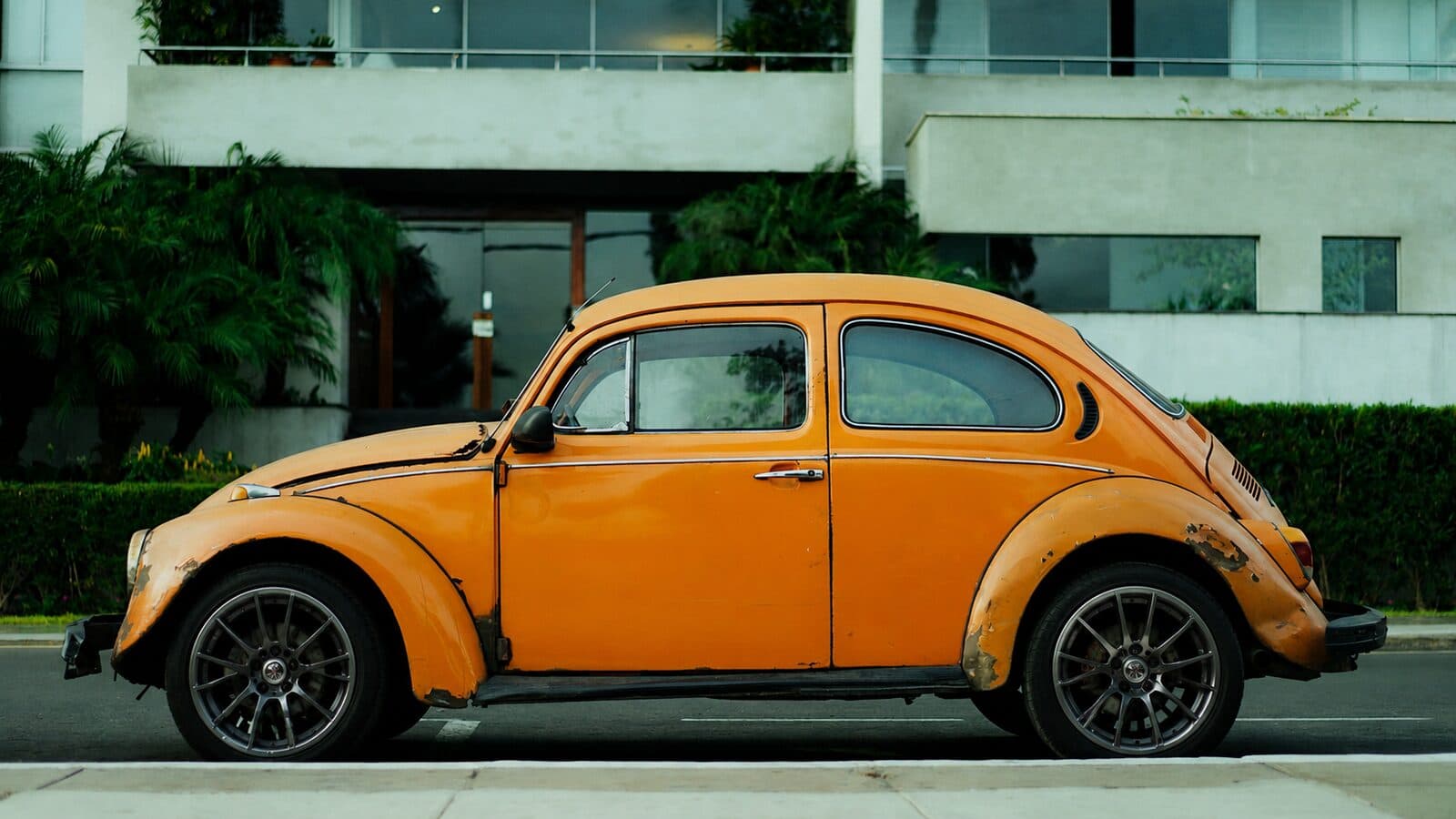
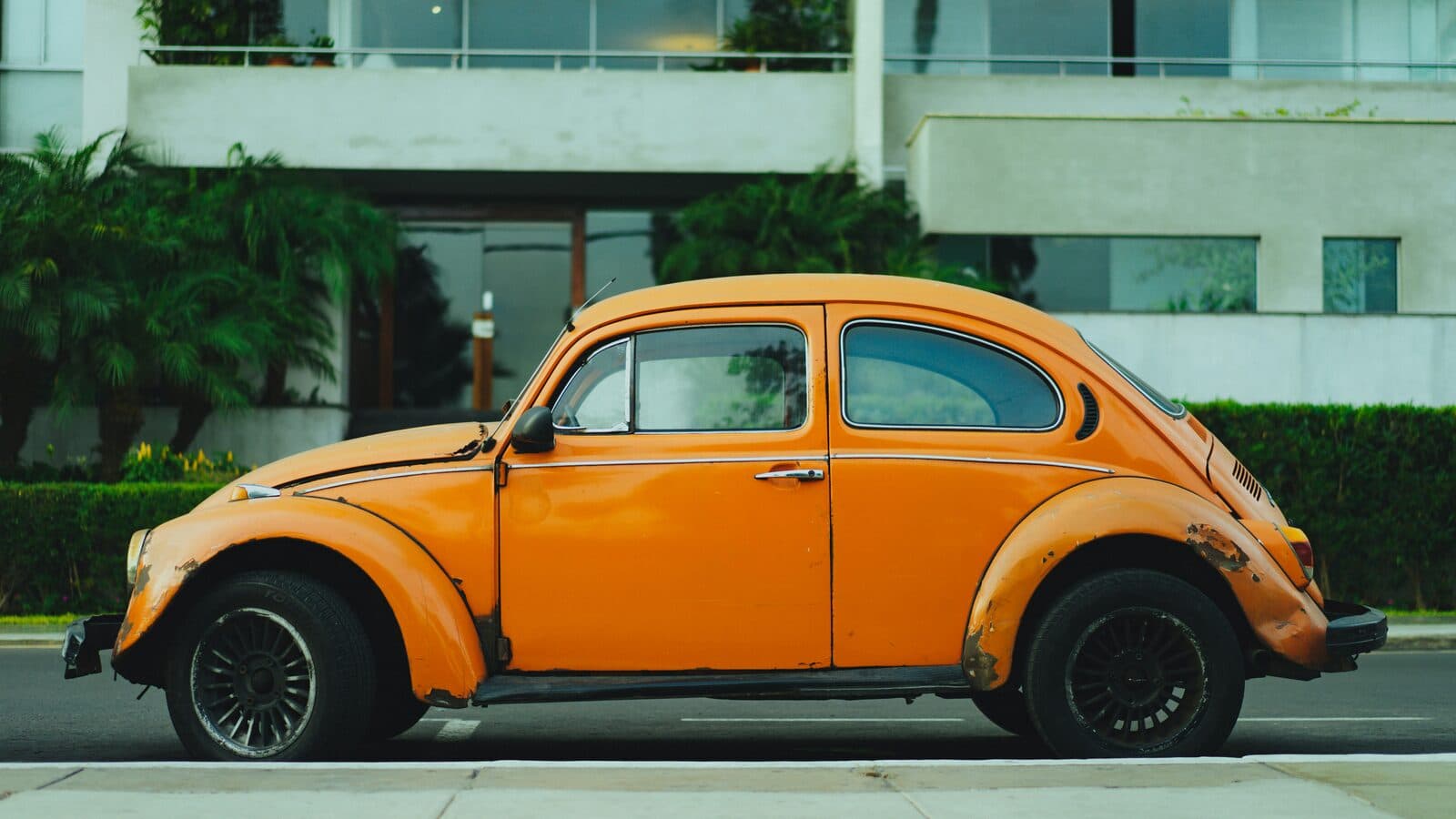
Drag the slider to compare
What is a wheel & rim upgrade preview?
A wheel and rim upgrade preview tool uses AI to generate a photorealistic image of a vehicle wearing a specific wheel and tire package before it's installed. The shop photographs the customer's actual vehicle, and the tool renders the quoted wheel diameter, width, offset, and finish onto that vehicle's real fenders and stance — not a generic configurator silhouette. Wheel and tire shops, performance shops, and dealership accessory departments use this on the sales floor to confirm fitment and finish before parts are ordered.
Why it matters
A quality wheel and tire package runs $1,500 to $6,000 depending on diameter and tire spec, which makes it a considered purchase, not an impulse buy. Customers stall because manufacturer configurators show their body style on a generic silhouette, not their own car in their own paint color and current stance — so they can't tell if a 20-inch bronze wheel with a +20 offset will poke past the fender or tuck in and look wrong. That uncertainty sends them home to cross-shop the same wheel on a big-box tire retailer's site, where the sale is often lost to whoever quotes the lowest price on a wheel they've already mentally committed to.
Who uses this
Counter staff and sales techs at independent wheel and tire shops writing up wheel packages. Performance shops quoting staggered fitments on sports cars and trucks. Dealership F&I and accessories departments upselling wheel-and-tire packages at delivery. Custom shops bundling lift kits, lowering kits, and wheel packages into one build.
Heard this from a customer?
A customer walks in with a phone full of Instagram photos of bronze wheels on someone else's lifted truck, points at the screen, and asks "will that look like that on mine?" You have no way to show them on their actual truck, so they leave to think about it and buy the set they can already picture from an online configurator.
They ask whether a 20x10 with a +25 offset is going to poke past the fender or tuck in and look weak. You can quote them the backspacing spec all day; they don't trust a number on a spec sheet, they want to see the stance before they wire $3,000.
They're set on a staggered fitment — wider in the rear — but can't picture the width difference front to back until it's already bolted on, so they hedge and order a square setup instead, leaving margin on the table.
How wheel & rim upgrade previews work
Three steps. Under 10 seconds. No design skills needed.
Photograph the vehicle on the lot
One 3/4-angle shot from your phone. Works on the lift, in the parking lot, or at a show — whatever lighting you've got.
AI renders the exact wheel spec
Diameter, width, offset, and finish — chrome, gloss black, bronze, gunmetal, machined face — mapped onto the vehicle's real fender wells, ride height, and stance.
Present the package at the counter
Their own vehicle wearing the wheels they're about to buy. The order gets written before they walk over to compare prices online.
Common questions about wheel & rim upgrade
Straight answers. No jargon.
Let's build the version made for your business
Every preview on this site is a variation of the same engine, tuned to one industry. Tell us about yours, and we'll show you exactly what we'd build for it.
We reply within one business day