Quick Answer: A tattoo simulator uses AI to show a client exactly how a design will look on their own skin before any ink is applied. Makeover generates a photorealistic placement preview from a real body photo in under 10 seconds, so studios can resolve the doubt inside the consultation instead of losing the client to "let me think about it."
What is a tattoo simulator? It's an AI tool that applies a tattoo design to a photo of a client's actual body, showing size, placement, and orientation on real skin instead of a reference sheet or a mental picture. Shown at the right moment in a consultation, it's what turns "I'll think about it" into a same-day deposit.
Why tattoo consultations stall before booking
Every artist knows the moment. The client loves the design, the conversation has gone well, and then you ask for the deposit and hear, "I want to think about it."
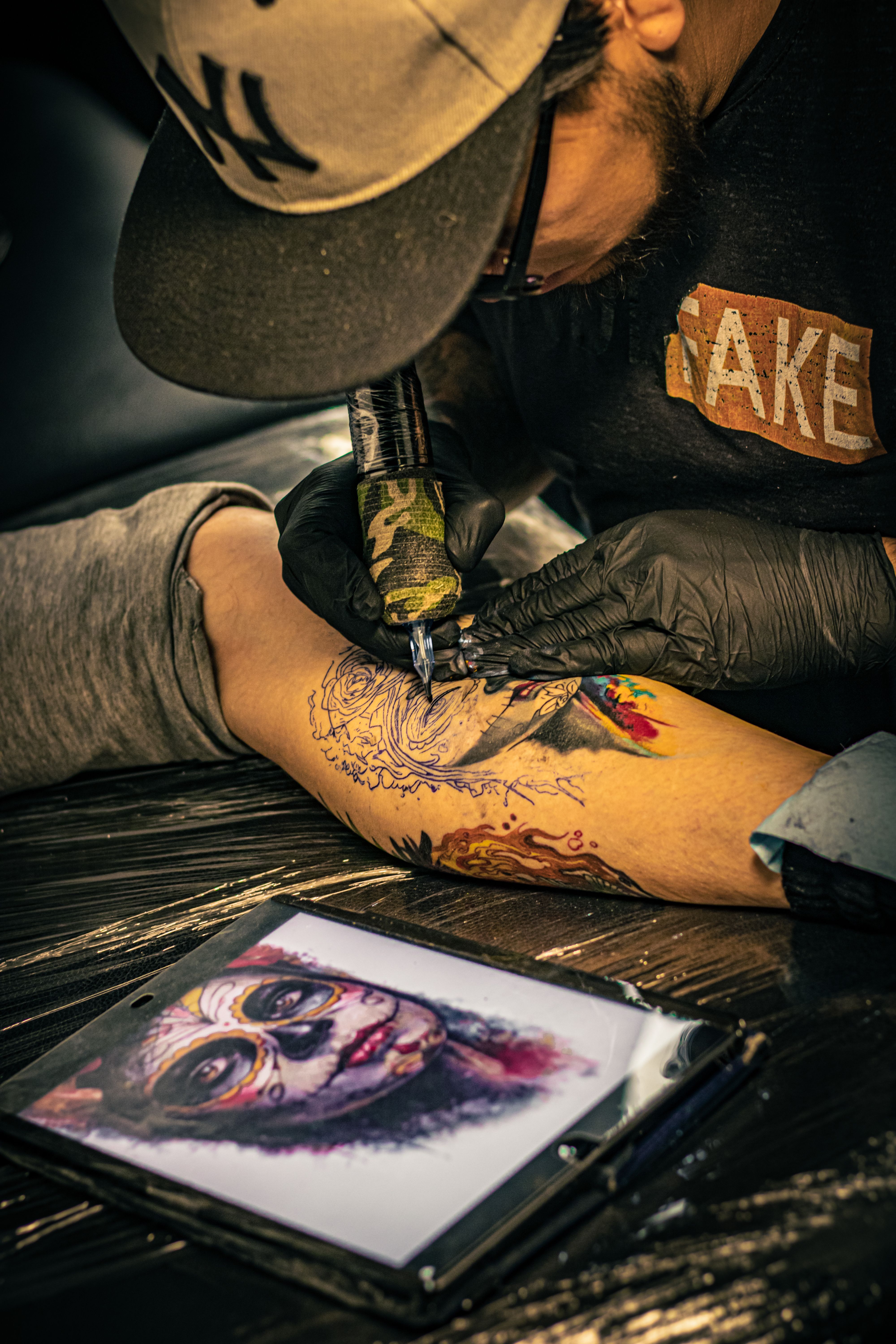
They're not unsure about the design. They're unsure about how it will actually sit on their arm, their ribs, their calf — because right now it's still just a drawing on a reference sheet, not something they've seen on their own skin.
Will the size read right at that spot? Is the placement really where they pictured it? Those aren't questions you can talk a client through. They need to see the answer.
Roughly 35-40% of US adults now have at least one tattoo, up from 30% in 2019 — demand isn't the problem. Whether that demand converts at the table comes down to what you do in the sixty seconds a client hesitates.
A tattoo simulator answers the visual question while the client is still in the chair. Instead of sending them home to imagine it, you show them. The decision gets made where you can still guide it, not on their commute home.
How Makeover's tattoo simulator works
Three steps. No downloads, no app to install — it runs in any browser, on whatever tablet or laptop you already have at the consultation desk.
Step 1: Photograph the area. The client photographs, or you photograph, the body area where the design is going. Any clear, well-lit shot of the skin works — you're not staging a photoshoot, just capturing the surface the design will sit on.
Step 2: Apply the design. Upload the client's photo and the tattoo design file to Makeover. The AI places the design at the chosen position and size, adjusting for skin tone, body curvature, and the lighting already in the photo.
Step 3: Show the result. The simulation appears in under 10 seconds. Pull it up on your screen, walk the client through it, nudge placement or scale if something's off, and move straight into booking.
You bring the artistic judgment and the client relationship. Makeover closes the gap between what the client is imagining and what they're about to commit to.
The Makeover Pre-Ink Confirmation Framework
This five-step sequence comes from watching studios move off verbal placement guidance and onto AI simulation — the ones that saw same-session booking rates climb ran it the same way every time.
| Stage | What Happens | Client Outcome |
|---|---|---|
| 1. Photo | Client photographs the body area at consultation | Real reference point established before any discussion |
| 2. Design | Artist uploads design and adjusts placement in Makeover | Design mapped to real skin with lifelike accuracy |
| 3. Simulate | AI generates the result in under 10 seconds | Client sees exactly what the tattoo will look like |
| 4. Adjust | Client reviews placement, size, and orientation | Final position confirmed without pressure |
| 5. Confirm | Client approves the simulation result | Booking made with full visual confidence |
Moving a client from "I'll think about it" to "let's book it" is a matter of removing uncertainty one step at a time, not one big pitch. Run it consistently and it stops depending on which artist is best at talking clients through placement — a new hire can follow the same five steps from their first week.
Business outcomes for your studio
More bookings close in the room. A client who has already seen the simulated result is far less likely to go quiet overnight. You stop losing warm leads to a night of second-guessing and a competitor's Instagram ad.
Calmer clients, better sessions. A client who approved the placement before the needle starts sits down with less anxiety than one who's still second-guessing size and spot. Lower pre-session anxiety generally means a smoother sit for both of you.
Fewer change-of-mind cancellations. Placement regret usually starts before the appointment, in the gap between what a client pictured and what's actually about to happen. Close that gap with a simulation and you close off most of the reasons clients cancel or ask to push the date.
A visible reason to pick your studio. Offering a simulation preview is a tangible difference clients notice and mention — in reviews, and to the friend they bring in for their own consultation. That matters in a market where the US has 23,774 active tattoo businesses competing for the same client.
Why Makeover over free tattoo simulators
Free tattoo simulator apps are built for entertainment, not consultations. They apply a flat image overlay to a selfie using a pre-set body template — no read on the client's actual skin tone, body shape, or the light in the room.
The result looks like a costume filter. It doesn't build a client's confidence in the decision; in a formal consultation, it can actively undermine it.
Makeover is built for the studio, not the App Store. It works from the client's real body photo, and the output is designed to be shown on your screen during a consultation, not filtered onto a social post.
Honest limitation: the simulation is only as good as the photo it starts from. A clear, well-lit shot of the target area produces a reliable result; a dim or blurry one will not. Build a ten-second photo-quality check into the start of the consultation and this stops being an issue.
Makeover builds this kind of simulator for tattoo studios and other visual service businesses that want a faster way to show clients the finished result before work begins — scoped as a custom project to each studio's workflow, not a generic sign-up.
See related use cases: virtual tattoo try on, tattoo simulator on body, and our tattoo placement preview tool for studios. Explore our full use cases library and blog.
Bottom-line summary
Tattoo simulators convert consultation uncertainty into confirmed bookings by answering the one question clients can't resolve on their own: what this will actually look like on my body. Makeover builds that answer from a real body photo in under 10 seconds, in the browser, with nothing to install. Studios that make simulation a standard consultation step close more bookings on the day, cut down on placement regret, and build the kind of reputation that gets a client's friends in the chair next.
Bring this to your studio
Give clients a photorealistic preview before the needle moves. There's no generic sign-up here — talk to Makeover about building a tattoo simulator scoped to how your studio actually runs consultations.