Quick Answer: A virtual hair color try-on lets you preview new hair colors on your face in seconds. AI maps your hair, skin tone, and lighting to generate a photorealistic result. You can test balayage, highlights, ombre, and bold fashion colors before booking your salon appointment.
What is a virtual hair color try on? Virtual hair color try-on is an AI tool that digitally applies new hair colors to your photo. It simulates how specific shades, tones, and techniques look on your actual hair texture, face shape, and skin tone. You see a realistic preview before sitting in the chair.
Why stylists and clients both need virtual hair color previews
Hair color is the most revenue-generating service in a salon. Color services account for approximately 60% of gross salon revenue, making them the backbone of most professional businesses. Yet they are also the source of the most client anxiety, hesitation, and post-appointment disappointment.
The problem is simple. Clients cannot visualize the result. They scroll Instagram for three hours, save 47 reference photos, arrive at the salon, and still say "I'm not sure." That uncertainty costs time, kills momentum, and leads to same-day cancellations.
Virtual hair color try-on solves this. A client uploads one photo, selects a color technique, and sees a photorealistic preview in under 10 seconds. They walk into the appointment knowing exactly what they are getting.
For salons, the business impact is real. First-time clients booked online retain at twice the rate of walk-ins, with a 78% return rate. Virtual previews give clients the confidence to book. They also reduce the back-and-forth that slows down consultations.
The market reflects this shift. AR and AI virtual try-on tools are already used by 55% of online beauty shoppers, and the same research shows virtual try-on can lift conversion rates by up to 200% for beauty service providers compared to browsing static reference photos. Salons that put a preview tool in front of a client before the color consultation are competing with that baseline, not against doing nothing.

Photo by Adam Winger on Unsplash — free to use under Unsplash License
What is the real cost of a hair color mistake?
Corrective color is the most expensive salon service. A single correction appointment can cost $400 to $800. It takes hours to fix. It puts strain on the hair. And it damages trust between the client and stylist.
Most color mistakes happen because the client and stylist were not aligned on the expected result before the appointment started. Virtual previews close that gap before a single foil goes in.
How does virtual hair color try-on reduce cancellations?
When clients see a realistic preview, they arrive with confidence. They are not second-guessing. They are not tempted to cancel because they "changed their mind." A visual commitment is stronger than a verbal one.
46% of salon bookings happen outside business hours. A virtual try-on tool on your booking page gives clients something to interact with at midnight when they are deciding whether to confirm or cancel. The preview pulls them forward.
How virtual hair color try on works
Modern virtual hair color tools use generative AI, not filters. The difference matters. Filters apply a flat color overlay. AI understands the 3D structure of your hair, the way light falls on it, and the natural variation in your specific shade. The result looks like you actually dyed your hair.
Step 1: Upload your photo
Use a clear, well-lit photo taken from the front or a slight angle. Natural window lighting gives the AI the most accurate starting point. Your hair should be visible and not obscured by hats, hoods, or heavy shadows.
Step 2: Select your color technique
Choose from options like balayage, all-over color, highlights, ombre, or specific fashion shades. The AI maps the technique to your hair length, texture, and existing color.
Step 3: Review your photorealistic preview
The result appears as a side-by-side before-and-after preview. You can share it directly with your stylist, post it on social media, or save it for reference at your appointment.
What hair color transformations can you preview?
Can you try balayage virtually?
Yes. Balayage is one of the most requested virtual previews. The AI simulates the graduated lightening effect from mid-lengths to ends, showing how warm, cool, or neutral tones will look against your existing hair and skin tone. You can adjust the intensity before committing.
Balayage mistakes are hard to reverse. A virtual preview before the appointment removes the guesswork.
Can you preview highlights before your appointment?
Yes. Highlight previews show placement, tone, and density on your actual photo. Whether you want subtle sun-kissed pieces or bold chunky highlights, the AI renders the placement realistically.
This is especially helpful for clients going lighter for the first time. Seeing the result on their own face is more powerful than a reference photo of someone else.
Does virtual try-on work for bold fashion colors?
Yes. Vibrant colors like copper red, rose gold, deep violet, and platinum blonde render clearly in virtual previews. The AI shows you the contrast and intensity relative to your skin tone and existing hair shade.
For bold colors, the preview also helps manage expectations about the lightening process. Dark hair may require multiple sessions before the final color is achievable.
Can you preview color on dark or natural hair?
Yes. The AI handles all natural hair shades from jet black to light blonde. For dark hair, the tool simulates the lifted color to show realistic expectations. This prevents clients from expecting one-session platinum when their hair needs three rounds of lightening.
Does virtual hair color try on work on curly or textured hair?
Yes. Makeover's AI is trained on diverse hair textures including curly, coily, wavy, and fine hair. The color rendering accounts for the way light reflects differently across textured strands. Results on curly and natural hair are as accurate as on straight hair.
How to use Makeover's virtual hair color tool
Makeover builds this kind of software to be as fast as possible for the salons that use it — no app download, no sign-up flow for the client. Here is what running a preview looks like once a salon has it:
- The stylist or client selects the hair color transformation type
- A clear, front-facing photo with hair visible is uploaded
- The target color or technique is chosen from the options
- A photorealistic before-and-after preview appears in under 10 seconds
- The client saves the preview or shares it directly with their stylist
The salon's software handles the image under its own privacy-compliant retention policy, and it is never used to train AI models. Ask your stylist whether their salon offers this.
For salons and stylists, Makeover builds a hair colour change preview tool designed to work directly in consultation appointments — pulled up on a tablet, with the client's photo uploaded during the consultation, showing them the result before a single formula is mixed. Clients who see their result in the chair are far more likely to approve the service and book their next appointment on the way out. If you run a salon and want this built for you, share your details with Makeover for a free consultation call.
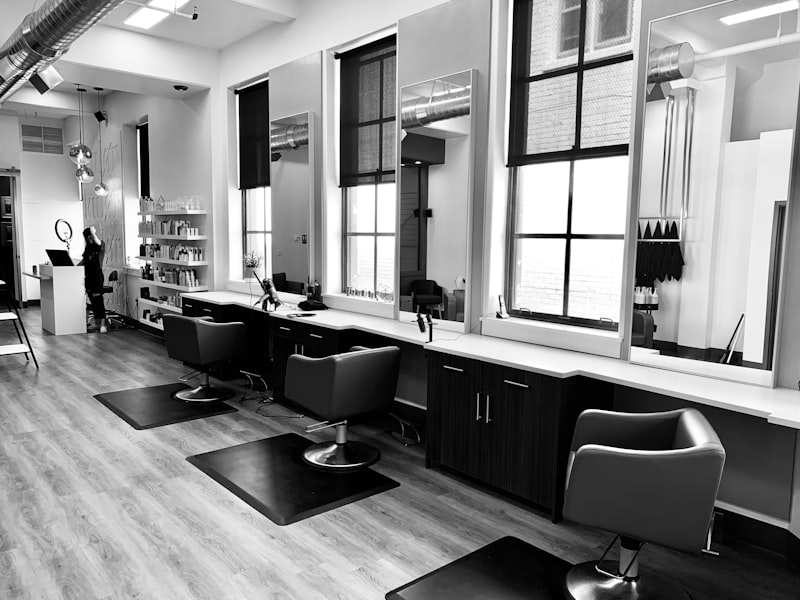
Photo by Guilherme Stecanella on Unsplash — free to use under Unsplash License
The Makeover Salon Consultation Readiness Framework
Most corrective color appointments trace back to one of the same five gaps between what the client pictured and what the stylist heard. Run through this Makeover 5-Point Consultation Readiness Scorecard in the first two minutes of any color consultation, before a single foil is placed.
| Readiness Factor | What to Check | Why It Matters |
|---|---|---|
| Visual alignment | Has the client seen a preview on their own photo? | Eliminates "I expected something different" |
| Technique clarity | Is the technique (balayage vs highlights vs all-over) confirmed? | Prevents scope creep mid-appointment |
| Tone agreement | Are warm, neutral, or cool tones agreed on? | Tone mismatches are one of the most common triggers for a corrective color appointment |
| Expectation setting | Does the client understand sessions needed for their starting shade? | Prevents disappointment for dark-to-light transformations |
| Booking confirmation | Is the appointment confirmed in writing with preview attached? | Reduces same-day cancellations by grounding the commitment visually |
Clients who arrive with a saved Makeover preview already satisfy the first four points before they sit down — the consultation shifts from "what should we do" to "let's confirm and book."
Why choose Makeover over other virtual hair color tools?
Most virtual try-on tools are built for consumers. They offer fun filters. They show an approximation of a color. They are not designed for professional consultations.
We built Makeover for service businesses. Here is what makes our tool different:
Photorealistic output, not filters. We use generative AI, not AR overlays. The result looks like a real transformation, not a cartoonish tint.
Works across all hair types and skin tones. Our AI is trained on diverse hair textures, lengths, and natural shades. It handles coarse, fine, curly, and straight hair with equal accuracy.
Privacy the salon controls. Every build is compliant with the privacy regulations relevant to that business, and retention is the salon's call, not a fixed default we impose. Client photos are never used to train AI models.
Built for professional consultation use. Stylists use Makeover on tablets during live appointments. The interface is fast, clean, and designed for real-time use — not casual browsing.
Beyond hair. If your client is also considering brow lamination or an eyebrow tinting treatment alongside their color service, we can preview those too. One platform for the full look.
The bottom line
Virtual hair color try-on removes the biggest barrier between a hesitant client and a booked appointment: uncertainty about the result. Clients who see their transformation on their own face before the appointment arrive with confidence, commit faster, and cancel less. For salons, that translates directly into revenue — fewer corrective appointments, shorter consultations, and clients who arrive already sold on the service. Stylists who run this preview during the consultation close color appointments faster and reduce the back-and-forth that eats into chair time.
Ready to preview your next hair color? Ask your salon whether they offer an AI color preview. If you run a salon and want to give clients this experience, share your details with Makeover and our team will scope a custom preview tool for your business.