Show clients their next haircut before you make the first snip
Photograph the client in your chair. Makeover generates a photorealistic preview of the new cut, length, or texture change in under 10 seconds — rendered on their own hair, not a stock model's.
Custom-built for your industry · No commitment
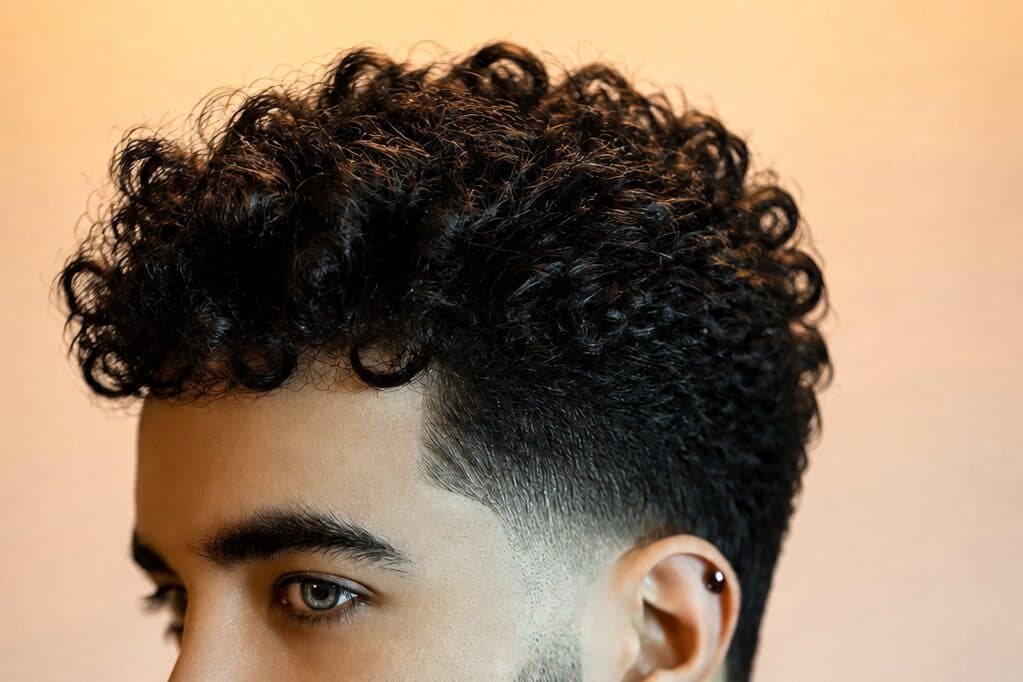
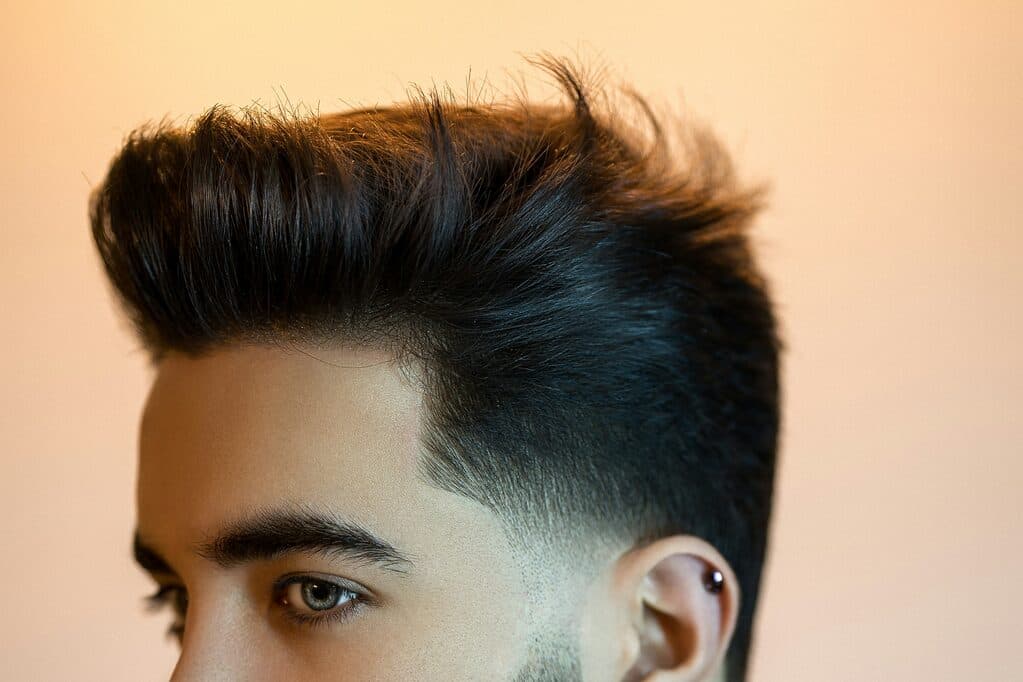
Drag the slider to compare
What is a hairstyle transformation preview?
A hairstyle transformation preview tool uses AI to generate a photorealistic image of what a client will look like with a proposed haircut, length change, or texture treatment — before a single strand is cut. The stylist photographs the client's current hair, and the tool renders the new style on that client's own density, texture, and face shape — not a reference model's. Salons and barbershops use it during the consultation to replace a debate over a screenshot with a preview of the client's actual head.
Why it matters
A cut-and-style service runs $45 at a walk-in barbershop to $350-plus for a precision cut with a name stylist, and the costliest failure in that range isn't a client who says no at booking — it's a client who says yes to the wrong cut. Nearly every stylist has redone a fringe cut too short, or apologized for a bob that read nothing like the reference photo once it hit the client's actual texture. That redo is chair time nobody bills for. A preview built on the client's own hair catches the mismatch before the first snip, and turns a hesitant consultation into a same-visit booking for the bigger service instead of the safe trim.
Who uses this
Stylists use it at the consult station before the client is shampooed, to lock in the cut and avoid billing for a redo. Salon owners roll it out across a multi-chair team so a new client gets the same alignment whether they book the owner or a junior stylist. Barbers use it for fades, tapers, and beard-line changes, where a half-inch of guard length changes the client's reaction. Front-desk staff at high-volume salons use it to steer walk-ins into the right service and price tier before they reach the chair.
Heard this from a client?
They scroll to a photo of a celebrity with fine, straight hair and ask for the exact same blunt bob — on their own thick, curly hair — and you have no way to show them it won't sit the same until after you've already cut it.
They ask for "just a few inches off" their waist-length hair, but the photo saved on their phone is shoulder-length. You find out the real ask mid-cut, not during the consult.
They've booked three consultations for curtain bangs and cancelled all three because they can't picture the fringe on their own face shape and won't commit to the first snip.
How hairstyle transformation previews work
Three steps. Under 10 seconds. No design skills needed.
Photograph the client in the chair
One photo in your normal salon lighting — no special camera. A front-on shot is enough to capture their real hair density, texture, and face shape.
AI renders the requested style on their own hair
The model applies the new length, layers, texture treatment, or fringe to the client's actual hair — not a stock model's — accounting for how their texture holds the shape.
Present it mirror-side before the first snip
Their own head, before and after, on a tablet next to the styling chair. The client signs off on the cut, not the vibe of a screenshot.
Common questions about hairstyle transformation
Straight answers. No jargon.
Let's build the version made for your business
Every preview on this site is a variation of the same engine, tuned to one industry. Tell us about yours, and we'll show you exactly what we'd build for it.
We reply within one business day