Quick answer: A hairstyle preview tool for stylists is an AI platform that generates a photorealistic image of a client's new cut, color, or style on their own face before any service begins. Stylists open it during the consultation, upload a photo, select the transformation, and show the client the result in under 10 seconds — turning "let me think about it" into a booked appointment on the spot.
A hairstyle preview tool works by mapping a new cut, color, or style directly onto a client's real face and hair, rather than a stock model or a stranger's Pinterest photo. Unlike consumer filter apps, professional-grade tools account for facial structure, skin tone, and existing hair texture, so the simulation looks like a photograph, not a cartoon. That distinction is the entire point: a client only commits to what they believe is real.
This guide draws on Makeover's direct work with hair professionals and consultation feedback from stylists who have used visual preview tools to improve booking conversion.
Why do clients hesitate before booking a new hairstyle?
The consultation goes well. Your client loves the idea. Then they say: "Let me think about it."
That pause is not about price. It is about fear.
Clients have spent months, sometimes years, growing their hair. A dramatic cut or color change feels permanent. Without seeing the outcome in advance, the risk feels too high to commit.
Hair salons feel this pain directly. No-shows and last-minute cancellations cost salon owners up to 18% of their annual income, and the most hesitant clients are always those considering their biggest transformations. These are the high-value services that matter most to your revenue.
Traditional consultation tools do not solve this. Magazine cutouts show someone else's hair. Celebrity reference photos show someone else's face. Neither helps your client see themselves in the new look.
That is exactly the gap a hairstyle preview tool for stylists fills.
How does a hairstyle preview tool work in a salon consultation?
Professional AI hairstyle preview tools follow a simple three-step process:
- Upload a photo. The client takes a clear, front-facing photo during the consultation or pulls one from their camera roll.
- Select the transformation. You choose the cut, color, style, or combination to preview.
- See the result. In under 10 seconds, the client sees a photorealistic image of their new look.
The word photorealistic matters more than it might seem.
Consumer apps produce cartoonish filters. Clients have been burned by those before. If a preview does not look real, it destroys trust rather than building it. Professional hairstyle preview tools are trained on realistic outcomes, not idealized versions, so the image your client sees is something they can actually believe.
That believability is what turns a preview into a booking.
What changes when clients can see their transformation first?
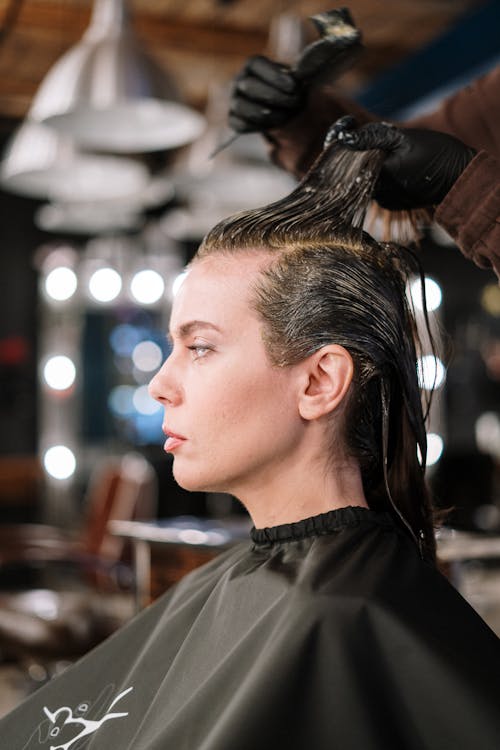
When a client sees themselves in the new style, three things shift at once.
Hesitation drops. The "let me think about it" pause shrinks because the biggest unknown has already been answered. There is nothing left to fear.
Consultations get more efficient. Instead of describing a haircut through words, you can show it. When stylists use visual tools, they spend less time explaining and more time confirming. That means more clients seen per day.
Revision requests fall. When both you and your client agree on a visual reference before the service starts, misunderstandings disappear. There is no "that is not what I asked for" when you both committed to the same image before a single cut.
The U.S. hair salon market was valued at $60.6 billion in 2024, and competition for client retention has never been fiercer. Separately, data from Boulevard shows that first-time clients who book online retain at 78% versus only 39% for walk-ins, a gap driven almost entirely by the confidence built during the digital booking and consultation experience. Salons that build trust at the consultation stage see stronger rebooking rates, because a client who trusts your preview trusts your work.
The Makeover Stylist Clarity Framework
We developed this five-point framework based on what causes clients to commit to a booking and what causes them to walk away without one.
| Step | What the client needs to feel safe | What most consultations miss |
|---|---|---|
| 1. See it on themselves | A preview on their own face and hair | Generic stock before-and-after photos |
| 2. Trust the outcome | A photorealistic result, not a filter effect | Consumer-grade apps with cartoonish results |
| 3. Control the variables | The ability to try multiple styles side by side | One verbal description with no visual |
| 4. Share for validation | A preview they can show a partner or friend | Nothing to share before the appointment |
| 5. Commit with confidence | No fear of regret or irreversible change | The "let me think about it" loop repeating |
When all five steps are covered in a single consultation, hesitation has no foothold. Makeover is built to cover every step, from the initial photo through the shareable preview your client takes home.
Use this as a checklist in your next consultation. If any step is missing, that is where the booking is slipping away.
How to use Makeover in your next consultation
The tool Makeover builds for your salon is designed for speed. No training required. No technical setup. Here is how a typical consultation runs once it's in place:
- Open your salon's Makeover-built preview tool on any device. Phone, tablet, or desktop.
- Upload your client's photo. Front-facing, good lighting, natural expression.
- Select the hair transformation. Cut, color, length, or style.
- Show the client the preview. Photorealistic result in under 10 seconds.
- Save and send. The client receives their preview to share or review at home before the appointment.
That last step is often underestimated. When your client can show their partner the preview at dinner and come back to the appointment already decided, your chair fills faster. No second-guessing. No cold feet. Just a client who arrives ready.
Your salon's software is built compliant with the privacy regulations relevant to your business, and retention is your call. We do not train on your data, and every preview is generated privately.
Why choose Makeover over other hairstyle preview tools?
Most hairstyle preview apps are built for consumers, not professionals. They prioritize the number of available styles over the realism of the result. Clients do not trust filter-style outputs, and neither should you.
We built Makeover specifically for professional consultation workflows. Our previews are photorealistic because a preview your client does not believe is worse than no preview at all — it signals a product that cannot be trusted.
There is no plugin to install and no generic template to configure. Your salon gets software scoped to how your consultations actually run, not a one-size-fits-all app pulled off a shelf. And because it's built around your workflow, your team is showing real previews in their first consultation, not fighting a learning curve.
Beyond hair, we build custom preview software for dental professionals, med spas, interior designers, and aesthetic practices. Every industry shares the same core problem: clients hesitate when they cannot picture themselves on the other side of a decision. We build Makeover tools to solve that problem in any chair, in any consultation room.
Share your details with Makeover and our team will scope a custom hairstyle preview tool for your salon.