Quick Answer: A virtual tattoo try-on is a photorealistic preview of a design on the client's own body, generated from a photo in under 10 seconds. Studios use it in the consultation chair to lock in placement, size, and orientation before the client leaves — and before any ink goes down.
What is a virtual tattoo try-on? It's a digital preview that maps a tattoo design onto a photo of a client's body using AI. The output shows how the design looks at a specific size, position, and orientation on that client's real skin — not a generic mockup on a stock arm. It's the closest thing to seeing the finished tattoo without committing to it.
The situation tattoo studios face
A client books a consultation with a design in mind. You talk through placement for 30 minutes — where it sits, how big, which direction it wraps. They leave saying they need to think about it. A week later, they still haven't confirmed. Some never do.
The design was never the problem. The problem is that "think about it" happens without the one thing that would actually resolve it: seeing the design on their body.
Clients can't picture how a piece will look until it's on them. They're unsure about scale — a reference image on someone else's arm doesn't translate cleanly to their own. They're unsure about the exact line of placement on a curved surface like a rib or calf. And because a tattoo is permanent, that uncertainty doesn't get talked through — it gets carried out the door.
The global tattoo market is valued at USD 2.43 billion in 2025 and growing at roughly 10.67% annually through 2034. Demand isn't the constraint. What a studio converts at the consultation table is.
A virtual tattoo try-on moves the moment of certainty earlier — into the room, onto a screen, while you're still there to answer the follow-up questions it raises.
How virtual tattoo try-on works
Makeover's process is three steps. Nothing to download, nothing for the client to install.
Step 1: Photograph the body area. Client takes or provides a clear photo of the target placement — forearm, shoulder, back, rib, calf, wherever the piece is going. Even, natural lighting gives the best result.
Step 2: Apply the design. Upload the client's photo and the design file to Makeover. The AI maps the artwork onto the body, adjusting for skin tone, curvature, and the photo's natural lighting.
Step 3: Show the placement preview. A photorealistic result renders in under 10 seconds. Pull it up on your studio screen and let the client confirm size, position, and orientation before the stencil comes out.
You handle the art and the relationship. The preview handles the guesswork.
What a placement preview changes in the consultation
Most tattoo consultations run on description and gesture: the client describes the idea, the artist sketches or talks through placement, both sides estimate size with a hand or a mirror. None of that gives the client something concrete to react to — it's negotiation by imagination.
A placement preview turns that negotiation into a decision, at the exact points where consultations usually stall:
| Consultation moment | Without a preview | With a placement preview |
|---|---|---|
| Sizing the piece | Client estimates from a reference image, often underestimating how small fine-line or lettering reads on real skin | Client sees the design at true scale on their own body before booking, so size is settled going in |
| Confirming placement | Artist marks position with a stencil, client second-guesses it in the mirror mid-session | Client already approved the exact spot before the appointment, so stencil time is confirmation, not negotiation |
| The "let me think about it" moment | Client leaves to picture it at home — and a portion of them never rebook | Client makes the call in the chair, while you're still there to adjust the design or answer questions |
| Taking the deposit | Deposit request follows an unresolved visual question | Deposit request follows a decision the client has already seen and approved |
The gain isn't that clients commit faster or with less thought. It's that the thinking happens before the appointment, in front of a real image — not during the session, and not after they've walked out and gone quiet.
What studios gain long-term
Fewer placement regrets. Regret over position and sizing is one of the most common reasons people later seek tattoo removal. A preview lets clients confirm placement while it still costs nothing to change their mind. The tattoo removal market continues to grow partly on the back of decisions made without a clear visual reference — studios that show the placement first are protecting their own reputation, not just the client's skin.
Higher average booking value. Clients who can see a large, detailed piece on their actual body commit to it with more confidence than clients working from a reference photo alone. Visualization makes it easier to say yes to bigger, more valuable work instead of scaling down out of uncertainty.
A consultation that stands out. Any studio can describe a placement. Few show it. A photorealistic preview on your screen is a concrete point of difference — the kind of thing a client mentions to the friend they bring in next.
Placement guide by body area
Understanding where a tattoo will sit on the body is one of the most consequential decisions in the consultation. Each placement area has its own characteristics — how much the skin moves, how age and muscle change will affect the design over time, how visible the piece will be in daily life — and clients rarely have a framework for thinking through any of it. A virtual try-on brings that framework to life visually rather than leaving it to imagination.
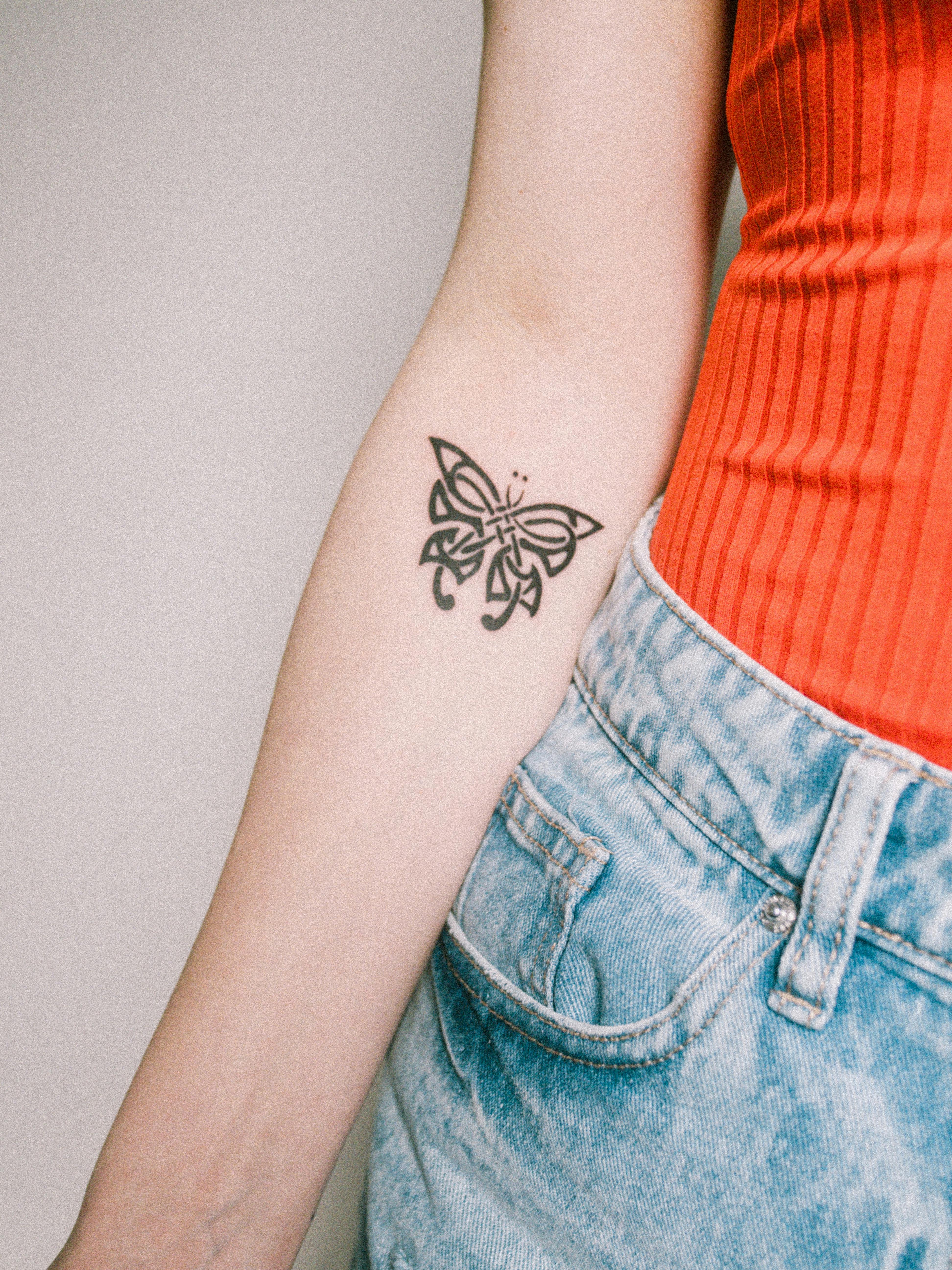
Forearm and inner forearm. The outer forearm is among the most popular placements precisely because it is always visible to both the wearer and others. It suits detailed designs well because the surface is relatively flat and easy to photograph clearly. Clients should understand that the inner forearm is a more intimate placement — softer light exposure, slightly more sensitive skin — and that both areas will experience some natural stretching and skin change over decades. The preview lets them confirm whether a horizontal band, a vertical script, or a wrapped design actually reads the way they imagined it.
Rib and side. The rib placement is chosen for its intimacy: the tattoo is hidden beneath clothing and only revealed deliberately. Because the ribcage curves significantly, designs placed here follow the body's contour rather than sitting flat. This means a design that looks symmetrical in a reference image may need to be elongated or adjusted vertically to read correctly once placed. A preview is especially valuable here because the client cannot easily see this area themselves during the session — confirming vertical versus horizontal orientation in advance removes guesswork on both sides.
Shoulder and upper arm. The shoulder cap and upper arm offer a versatile canvas that suits bold, graphic designs and is well-positioned for future extension into a sleeve. Clients who are considering sleeve work later need to see how a shoulder piece interacts with the natural flow down the arm. The try-on helps them think about that continuation early, rather than discovering a compositional conflict after the shoulder work is already inked.
Back and shoulder blade. The upper back and shoulder blade area offers one of the largest canvases on the body, making it ideal for complex, multi-element pieces. The challenge is that clients cannot see this area in a standard mirror without effort, which means they are trusting the artist completely. For placements that cannot be easily self-monitored during the process, the pre-session preview is not just useful — it is the only moment the client will see a realistic representation of the finished design on their own body before it is permanent.
Wrist and ankle. Both placements offer a compact, relatively flat canvas with minimal distortion risk. They are well-suited to simple designs, scripts, and minimal geometric work. The preview here primarily addresses scale: clients frequently misjudge how small a wrist tattoo will look once translated from a reference image to actual skin. Seeing the design at the correct size on their own wrist before the session prevents the most common complaint — "I wish I had gone slightly larger."
Calf and thigh. The calf wraps significantly, which affects how circular or wide designs read when photographed straight-on. What looks like a full ring in a reference image will appear compressed from a front angle. The thigh offers more flat surface and suits larger, more complex pieces. In both cases, the try-on answers the question clients most often cannot articulate on their own: will the design look too large, too small, or positioned too high or too low once I am standing up?
For every placement area, the virtual try-on addresses the same fundamental uncertainty: will it look the way I picture it? That question, left unanswered before the session, is the reason consultations stall.
Why Makeover for tattoo placement preview
Most virtual tattoo apps are built for consumers chasing a social media novelty. They apply flat overlays to selfies, and the output looks like a sticker, not a tattoo — clients can tell the difference immediately, and a preview they don't trust is worse than no preview at all.
Makeover is built for professionals. The AI reads skin tone, body shape, and light direction from the client's actual photo, so the result holds up as a real visual reference rather than a filter effect.
One honest caveat: the preview is photorealistic, but it isn't a guaranteed replica of the finished tattoo. Skin texture, healing, and how ink settles under skin all vary by person. Present it to clients as a placement guide, not a pixel-perfect prediction — that framing is accurate and it's also what keeps the tool credible.
Makeover builds custom visual transformation software for businesses from tattoo studios to dental, med spa, hair, and automotive teams. Each build is scoped to the client's specific workflow — share your details and our team will discuss what that looks like for your studio.
Bottom-line summary
Client uncertainty at the point of commitment is the biggest conversion barrier for tattoo studios. A virtual tattoo try-on removes that barrier by showing the client exactly how a design looks on their body before any ink is applied. Makeover generates photorealistic placement previews in under 10 seconds from a real client photo. Studios that show the result in the room close more bookings, see fewer placement-related regrets, and build a consultation experience worth recommending — with nothing to install and no device requirement beyond a browser.
Bring virtual try-on to your studio
Show clients their tattoo before you start. Share your details with Makeover and our team will scope a custom virtual try-on tool for your studio.