Quick answer: Makeover turns one phone photo of a client's yard into a photorealistic before-and-after in under 10 seconds. Landscaping contractors use it on the site visit and in the follow-up proposal so the client sees the finished result before they have time to go quiet and collect three more quotes.
What is an AI landscaping preview tool?
It's software that takes a photo of an existing yard, driveway, or patio and generates a realistic image of that same space after the proposed work is complete — new planting, hardscaping, a pool, a deck. The output is built from the client's actual property, not a stock photo or a generic render, which is what makes it useful in a sales conversation rather than just a design mockup nobody outside the trade knows how to read.
Why clients go quiet after a landscaping consultation
A homeowner books a consultation, walks the property with you for an hour, nods along as you describe planting beds and paver patterns, and then goes quiet for two weeks.
Most contractors read that silence as price shopping. Sometimes it is. More often, the real issue is that you asked someone to commit real money — a full backyard transformation routinely runs into five figures — based on a mental image they had to build themselves from your description and maybe a hand-sketched layout.
Most homeowners have never read a planting plan or a grading drawing in their life. Ask them to sign off on one sight unseen, and the safest move is always to wait, get two more quotes, and go with whichever contractor made the decision easiest. That's not a pricing problem. It's a visualization problem — and unlike your price, it's entirely inside your control.
How the AI landscaping preview tool works
Step 1 — Photograph the yard. Any phone camera works. For front yards, stand at the property line and capture the full width. For backyards, shoot from the house looking out, then from the far end looking back. Two angles usually give the AI enough spatial context to place changes accurately.
Step 2 — Pick the transformation. Select the category that matches the scope — planting redesign, lawn replacement, paving, a pool, a deck, or a full outdoor build — and Makeover applies it directly to that photo, not a template yard that looks nothing like the client's property.
Step 3 — Show the client. The preview generates in under 10 seconds. Run two or three versions — a base package next to a premium option — so the client is comparing specific outcomes instead of guessing at what "upgraded planting" actually means.
No CAD software, no waiting on a designer, no separate rendering pass days after the visit. The preview is ready before you've packed up your tape measure.
What landscaping transformations you can preview
Makeover covers the full range of residential landscaping and outdoor living work, so the same tool carries a small planting refresh and a full backyard rebuild.
| Transformation type | Preview capability |
|---|---|
| Garden and planting redesign | Full planting scheme applied to the existing yard |
| Lawn replacement (turf, native plants, gravel) | Surface replacement on the actual property photo |
| Driveway and paving | New paving layout over the existing driveway |
| Pool or plunge pool addition | Pool shape and finish added to the real backyard |
| Deck or patio build | Timber or stone surface added to the existing outdoor area |
| Retaining walls and terracing | Structural changes previewed on sloped sites |
| Pergola or shade structure | Overhead structure added to the existing space |
| Full outdoor living transformation | Kitchen, seating, planting, and structure combined |
Where to use the preview in your sales process
The preview works best as a fixed step in your existing proposal process, not a standalone gadget you remember to use occasionally.
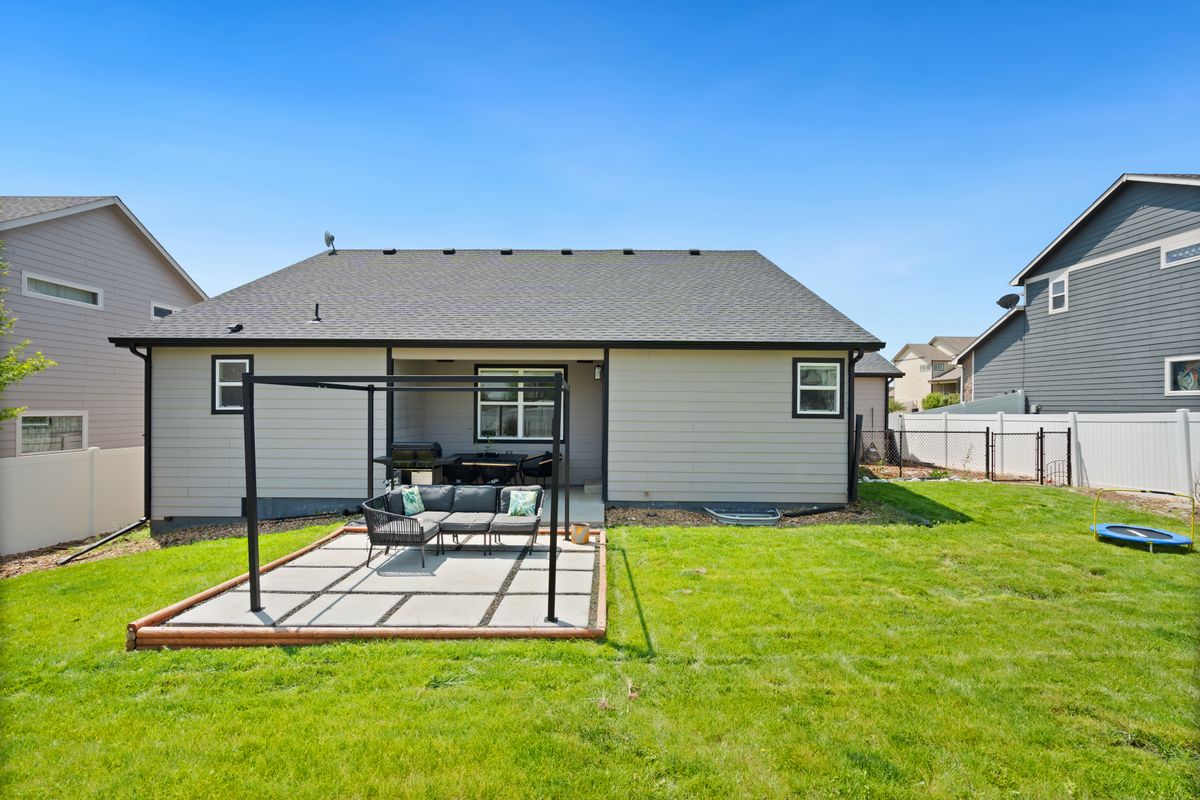
On the site visit. This is the highest-impact moment. The client is standing in the actual space — they can look from the preview on your phone straight to the yard in front of them, and the gap between "current" and "proposed" closes in real time, not over the two weeks it normally takes to think it over.
In the written proposal. Attach the before-and-after next to your quote in the same email or message. The client isn't reading a number in isolation — they're reading a price alongside a specific, photorealistic outcome. Contractors who send the preview and the quote together report fewer post-signature revision requests, because the scope is anchored to an image the client already approved, not a written description open to interpretation.
For the upsell. Generate a preview of the premium option next to the base one. Describing the difference between standard planting and a scheme with added lighting and hardscaping rarely lands. Showing it, side by side, usually does.
For marketing and referrals. Before-and-after content is among the most shared formats in home improvement. Previews — clearly labeled as visualizations, not finished photography — help build a portfolio and start referral conversations before a job is even complete.
Turning the three biggest objections into a signed contract
Every landscaping contractor hears the same three objections at the proposal stage. A preview doesn't erase them, but it changes the terms on which they show up — and makes each one easier to close.
"I'm not sure what I want." This is the most paralyzing objection because there's nothing concrete to react to yet. Most people struggle to describe a finished garden from a blank brief, but they're far better at reacting to a specific image. Generate a preview based on your professional recommendation and let them respond to it: "more hedging on the left," "can the patio be wider." That kind of feedback moves straight to a revised preview and a signed contract — it replaces a vague aspiration with a specific decision.
"Your quote is higher than the other contractor's." This is almost always a value objection wearing a price objection's clothes. A line-item spec sheet doesn't communicate why your planting scheme or paving choice is worth more to a homeowner who has no way to judge materials or craftsmanship. A photorealistic preview makes the investment visible — the client isn't asked to trust that it'll look good, they can see it. That shifts the comparison from "which quote is cheaper" to "which contractor showed me the result."
"I need to talk to my partner." A preview doesn't remove this step, but it changes what happens during it. Without one, the client goes home and tries to describe your proposal from memory, and details get lost. With a preview, they forward an image of their own yard with the changes applied, and the partner sees exactly what the client saw on site. The conversation becomes "do we like this" instead of "try to picture what they described" — and that's a much shorter conversation.
The contractor close rate scorecard
Check your current process against the factors that most affect whether a proposal turns into a signed job.
| Factor | Without a preview | With Makeover |
|---|---|---|
| Client visualization | Verbal description | Photorealistic preview of their own yard |
| Time to decision | Days to weeks | Often same appointment or next day |
| Proposal | Line-item quote alone | Quote plus visual proof |
| Upsell conversion | Verbal description only | Side-by-side preview comparison |
| Post-signature change requests | Common | Rarer — client approved a specific image |
Every row on that list is a place a deal can stall or slip. A visual preview doesn't fix your pricing or your crew's schedule — it fixes the one variable that sits entirely between the site visit and the signature.
What a higher close rate is worth
Here's a simple way to model the impact, using round numbers rather than a claimed industry average — plug in your own consultation volume and typical project value to see what it means for your business.
Say a contractor runs 12 on-site consultations a month, closes 35% of them, and works at an average project value of $6,000. That's roughly 4 jobs and $25,000 a month from that consultation volume.
Contractors who add a visual preview to the proposal process generally see close rates move up, not because the work got cheaper, but because fewer proposals go cold while the client tries to picture the outcome on their own. Even a modest move from 35% to 45% on the same 12 consultations is one extra closed job a month — about $6,000 in revenue the business wasn't capturing from work that was already in the pipeline.
That's the real case for a preview tool: it doesn't require more leads, more marketing spend, or more consultations. It requires closing a higher share of the jobs you're already quoting, by removing the one thing most often standing between a site visit and a signed contract — the client's inability to see the finished yard before they commit.
Close more landscaping jobs, starting on your next estimate. Talk to Makeover about a custom preview tool for your business