Quick answer: Vehicle wrap design software helps wrap professionals and fleet managers visualize and present wrap options on any vehicle before installation. Makeover builds AI-powered software that generates photorealistic before-and-after previews from a real photo of the vehicle in under 10 seconds, working across cars, trucks, vans, and commercial fleet vehicles with no design training required.
What is vehicle wrap design software? It is a tool that shows a client what a specific wrap will look like on their specific vehicle before any film is cut. The good ones work from a photo of the actual car, van, or truck sitting in front of you rather than a stock silhouette — so the client is approving what they'll actually drive away with, not a rough approximation of it.
This guide draws on Makeover's AI visualization experience supporting automotive wrap businesses and fleet operators across the US and UK.
What Is Wrong With Template-Based Wrap Software?
Template-based wrap design tools have been the industry standard for years. A designer picks a 2D or 3D outline for the vehicle's make and model, applies the wrap color or graphic to that outline, and generates a render.
The problem is the template itself.
Templates cover popular models reasonably well. They do not cover every model year, every trim, or every aftermarket modification. They do not account for existing damage, custom bodywork, or the odd upfitting a fleet vehicle has picked up over its life. The render matches the template. It does not always match the vehicle actually parked outside the shop.
Template tools also require someone who knows how to run them — positioning graphics, managing layers, exporting files, and reading a render accurately enough to know if it reflects real life. Shops without a dedicated designer on staff feel this as a bottleneck: the salesperson can talk about the wrap, but can't show it, so the close gets pushed to "let me get you a mockup" and a day or two of back-and-forth.
According to IBISWorld's Vehicle Wrapping and Graphics market research, the vehicle wrapping industry has grown steadily, driven by both commercial fleet branding and consumer vehicle personalization. In a growing market, the shops picking up share tend to be the ones that can turn a walk-in consultation into a signed job the same day — not the ones with the biggest template library.
AI vehicle wrap design software removes the template dependency and the training requirement entirely.
How Does AI Vehicle Wrap Design Software Work?
The wrap preview software Makeover builds takes the client's actual vehicle as the starting point, not a model lookup. The process:
- Take a photo of the vehicle. Any clear exterior shot works — no multiple angles, no photography rig needed.
- Upload the photo in the browser. No software to install.
- Select the wrap type and finish from the options set up for your shop.
- Receive a photorealistic before-and-after preview in under 10 seconds.
The AI reads the vehicle's actual body lines, existing paint color, reflections, and ambient lighting straight from the photo, then applies the wrap to that real geometry — not a generic outline. Dents, roof racks, mismatched trim, whatever is actually on the vehicle stays in the shot, so the preview looks like the client's vehicle wrapped, not a stock photo with their paint job.
No template library subscription. No render queue. No design background required. Once it's set up for your shop, any staff member can generate a preview for any vehicle that walks in — no matter how obscure the model.
What Vehicle Types Does Makeover Support?
Because Makeover works from a real photo instead of a template, coverage isn't capped by a model library — if it can be photographed, it can be previewed.
Passenger vehicles Cars, SUVs, crossovers, and coupes — any make, model, or year, including vehicles a template library wouldn't have gotten around to adding yet.
Light commercial vehicles Pickup trucks, cargo vans, transit vans, and panel vans. This is where wrap shops see the most fleet business, since a fleet manager approving branded graphics across ten or twenty vans wants certainty before signing off, not a guess.
Medium and heavy commercial vehicles Delivery trucks, box trucks, and work vehicles. More surface area means more vinyl and more labor per vehicle, which makes getting the approval right the first time worth more, not less.
Specialty vehicles Trailers, food trucks, buses, and recreational vehicles — anything with a body panel and a clear line of sight for a photo.
What Wrap Finishes and Types Can You Preview?
Makeover is built around the wrap types and finishes professional shops actually sell — not a generic color picker.
Color-change wraps Solid colors, metallic shades, pearl finishes, and two-tone combinations. Run three or four color directions in one consultation instead of talking through swatches.
Finish types Gloss, matte, satin, brushed metal, carbon fiber texture, and color-shift films all render with the correct light behavior. A client deciding between matte and satin can actually see the difference instead of trusting a verbal description.
Partial wraps Hood, roof, pillars, mirror caps, lower panels. Once a client can see exactly what a partial wrap looks like on their own vehicle, upselling from partial to full coverage becomes a much easier conversation.
Full body and fleet wraps For fleet managers signing off on branded graphics across multiple vehicles, seeing the finished look before production starts is what turns a multi-week approval chain into a same-call yes.
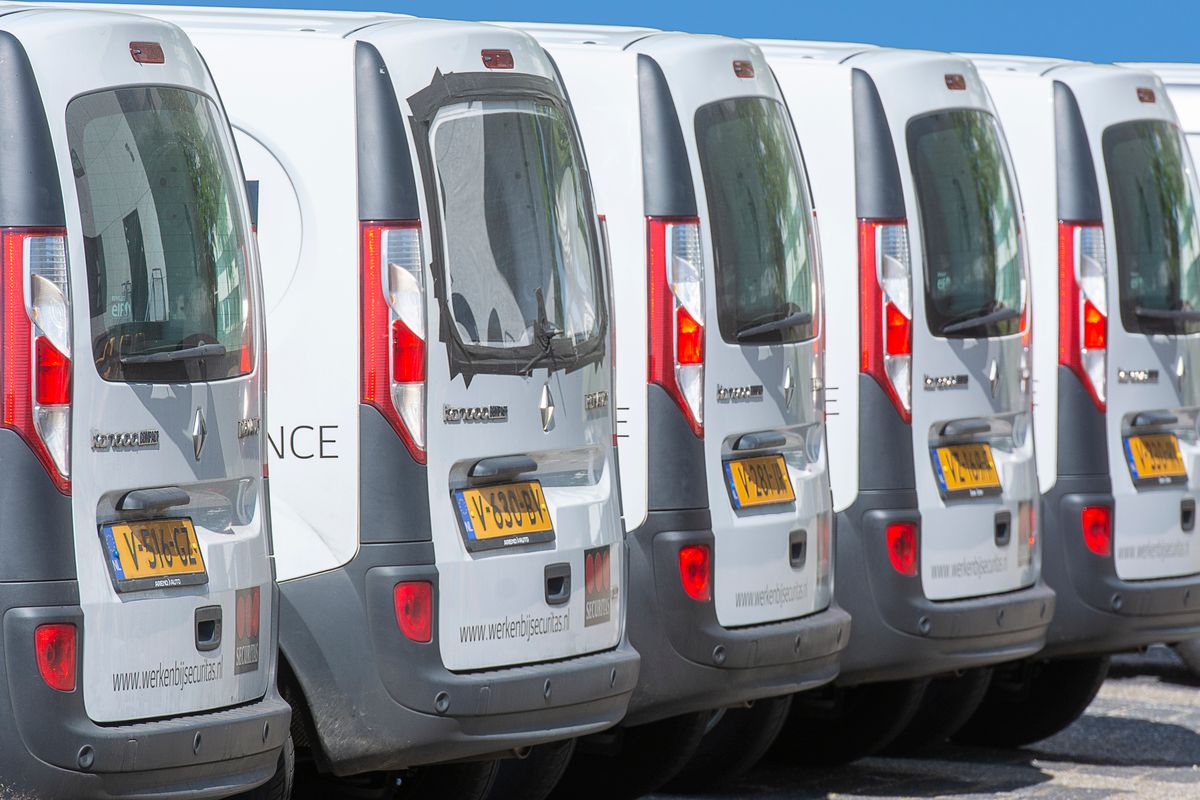
The Makeover Fleet Wrap Approval Framework
We built this framework for shops managing wrap approvals across fleet vehicles or multiple clients, where every extra revision cycle delays production and ties up a bay.
| Step | What to do | Tool | Outcome |
|---|---|---|---|
| 1. Photograph the actual vehicle | Use a clear, well-lit exterior shot | Phone or camera | Photo-accurate base for AI wrap rendering |
| 2. Generate the primary design option | Upload photo and apply the agreed wrap concept | Makeover | Stakeholder sees real vehicle with wrap applied |
| 3. Generate an alternative | Create a second color or finish option | Makeover | Side-by-side visual comparison is available |
| 4. Share for approval | Send both preview images to the decision-maker | Email / messaging | Remote approval without a meeting |
| 5. Lock the approved design | Reference the approved preview in the production brief | Production documentation | Revision requests at delivery are reduced |
Based on Makeover's approval framework developed for wrap businesses and fleet operators.
The remote approval step matters most for fleet operators managing sign-off across multiple locations — an ops manager at another site can approve a preview from their phone in the time it takes to read a text, instead of waiting for a shop visit that may not happen for weeks.
Who Uses Vehicle Wrap Design Software?
Wrap installers The primary user. Any consultation where a client needs to see the result before committing to a job is a use case for Makeover.
Fleet managers and operators Commercial fleet owners approving branded graphics across a dozen or more vehicles at once. A visual sign-off cuts out the guesswork that stalls approvals and pushes production dates.
Graphic designers producing vehicle wraps Designers presenting a concept land it better when the client sees it on their own vehicle instead of a generic mock-up car that doesn't match what's actually being wrapped.
Auto dealers adding wrap packages Dealers pitching a wrap as part of a new vehicle sale or service upsell can show the buyer a photorealistic result before they've committed to the add-on.
Sign and print companies Shops producing commercial vehicle graphics as part of a broader branding package can generate accurate vehicle previews without building or licensing a dedicated template library.
Traditional Vehicle Wrap Software vs. AI Preview Tools
| Feature | Template-Based Tools | AI Preview Tools (Makeover) |
|---|---|---|
| Vehicle coverage | Limited to template library | Any photographable vehicle |
| Input method | Select model, apply to template | Upload actual vehicle photo |
| Training required | Yes (design and template skills) | No |
| Output accuracy | Template-accurate | Photo-realistic, actual vehicle |
| Mobile use | Typically desktop-only | Full browser support |
| Speed per preview | 15 to 60+ minutes | Under 10 seconds |
| Best use case | Production design files | Client approval and consultation |
Template tools still earn their place when the installer needs a production-ready cut file. AI preview tools earn theirs at the point where a client needs to see the result and say yes before any material is ordered. Most wrap shops running both end up using AI previews to close the sale and template software to produce the job.
Why Do Wrap Businesses Choose Makeover?
Makeover builds custom wrap preview software to close the specific gap that stalls wrap sales: a client who likes the idea but isn't sold enough to commit, a fleet manager who can't approve a graphic they can't picture, a consultation that ends in "let me think about it" instead of a signature.
The software generates a photorealistic preview from any vehicle photo in under 10 seconds, with no templates, no training, and no design team required to run it. Once it's built for your shop, any staff member — not just whoever knows the design software — can run a preview mid-consultation and move straight to booking.
Share your details with Makeover and our team will scope a custom wrap preview tool for your business on a free consultation call.
Preview Any Vehicle, Wrapped, in Seconds
If your consultations still end with "we'll email you a mockup," that gap is where deals go cold. Share your details with Makeover and our team will scope a custom wrap preview tool built for your shop, on a free consultation call.