Quick answer: A landscape design app helps homeowners and landscaping businesses visualize an outdoor space before any work begins. In 2026, AI-powered apps generate a photorealistic before-and-after preview from a single yard photo in under 10 seconds — replacing hand-drawn plans and the guesswork that stalls a client's decision mid-consultation.
What is a landscape design app?
A landscape design app is software that helps you plan, visualize, or present an outdoor space transformation. Homeowners use them to test ideas before hiring anyone. Landscaping businesses use them to close the sale in the room.
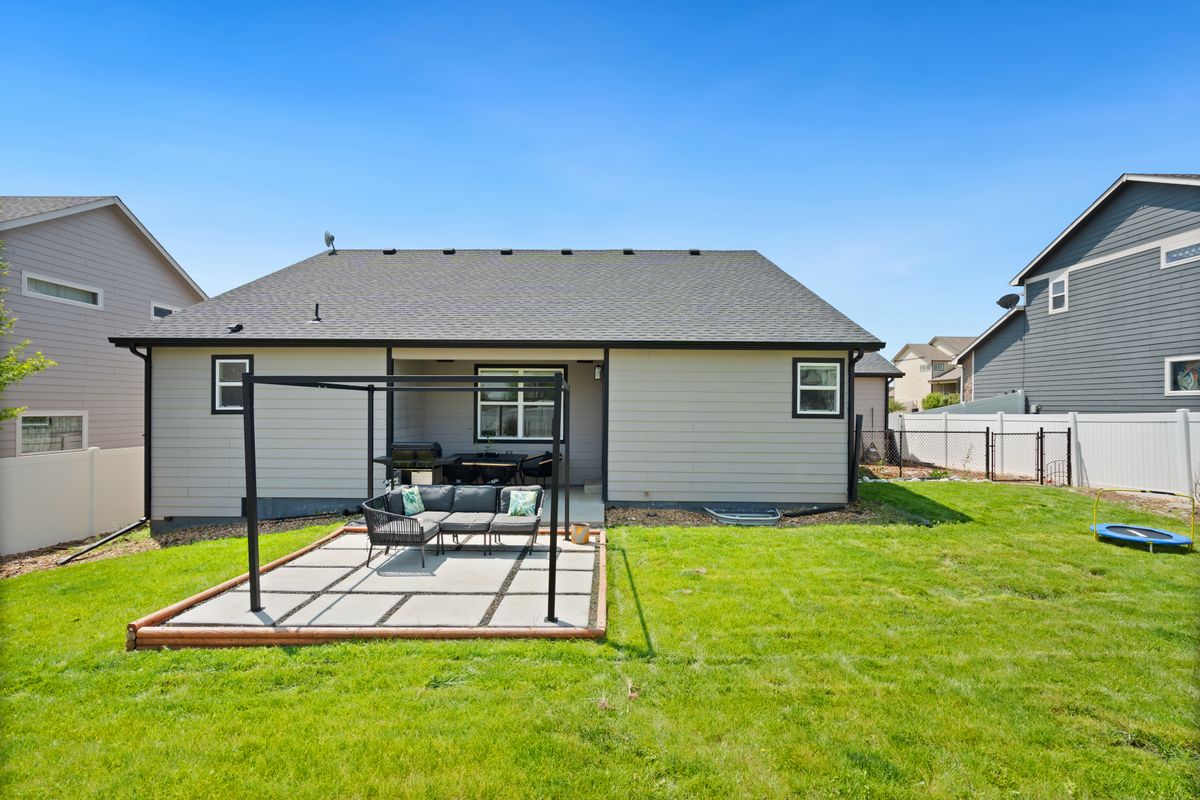
The apps that actually move a deal forward do one specific thing: they turn a photo of a real yard into a photorealistic preview of the finished project. Not a sketch. Not a mood board. The client's own lawn, patio, or garden bed — transformed, on the same screen, before they've signed anything.
This guide draws on landscaping industry data from Mordor Intelligence and IMARC Group, homeowner spending research from Petrus Landscape, and usage patterns from custom AI preview software Makeover has built for landscaping businesses.
Why landscape design apps drive more sales
The US landscaping industry is worth USD 125.77 billion in 2026, projected to reach USD 169.36 billion by 2031 — and the highest-margin category, design-build, is growing faster than the market overall. Patios, retaining walls, water features, and full-yard overhauls are forecast to grow at an 8.8% CAGR through 2030, well ahead of routine mowing and maintenance contracts.
That growth changes what closing a sale requires. A mow-and-blow contract barely needs a conversation. A $15,000 hardscape project needs the homeowner to feel certain enough to commit a chunk of their home budget to a plan they can currently only picture in their head.
That gap between "I like the idea" and "here's my deposit" is where deals stall. 63.9% of Gen Y and 49.3% of Gen Z homeowners plan to increase their landscaping budgets in 2026, and both groups grew up expecting to see things before they buy them — product photos, room visualizers, before-and-afters on every renovation show they've watched. A plant list and a verbal pitch read as guesswork to a buyer who already expects a preview.
A landscape design app closes that gap in the room, not after it.
How the best landscape design apps work in 2026
The landscape design app category has split into two distinct approaches:
| Approach | What it does | Best for |
|---|---|---|
| Planning and layout tools | Draw garden beds, place plant symbols, create plans | Technical design and proposal documents |
| AI before-and-after preview apps | Transform a real yard photo into a photorealistic finished result | Client consultation and proposal conversion |
Planning tools like iScape and Planner 5D are built for people who already know landscape design — they require placing symbols, understanding plant spacing, and building a layout from scratch. That's the right tool for a working drawing. It's the wrong tool for a sales conversation, where a client needs to see a result in the first five minutes, not a diagram twenty minutes in.
AI preview apps skip the drafting step entirely. Point a phone at the yard, and the app returns a photorealistic version of what it could look like. Designers report using AI specifically to shrink the gap between a site visit and the client seeing something concrete — time they reinvest in design work instead of manual rendering.
Who benefits most from a landscape design app
Landscaping contractors close bigger jobs at the estimate visit. Instead of describing a patio, they show it — and the client's reaction does the selling that a verbal pitch can't.
Garden designers present three directions in one meeting — native planting, formal structure, cottage garden — all generated from the same yard photo, so the client picks a style instead of trying to imagine one from scratch.
Nurseries and plant centers show how a specific plant selection looks once it fills in, which steers customers toward the higher-value option instead of the cheapest tray on the shelf.
Real estate developers and builders sell landscaping as part of the property before a shovel goes into a yard that's currently mud and rebar stakes.
Homeowners planning DIY projects use previews to align with a contractor before either side spends money — fewer "that's not what I pictured" conversations mid-project.
How Makeover works for landscaping businesses
Makeover is AI preview software built for visual transformation businesses. For landscaping, it turns a photo taken on a site visit into a photorealistic preview of the finished design in under 10 seconds — while you're still standing in the yard.
A typical consultation looks like this:
- Photograph — Take a photo of the yard during the walkthrough, on the phone you already have.
- Select a direction — Choose a style: lush and planted, modern minimal, manicured formal, drought-tolerant, or whatever fits your service lines.
- Generate — Makeover returns a photorealistic preview in under 10 seconds.
- Present — The client sees their own yard, transformed. The conversation shifts from a plant list to "when can you start."
No design software to learn. No render team to wait on. No follow-up call three days later when the moment's already cooled.
The Makeover Outdoor Preview Framework
This framework shows where a preview earns its keep — across the estimate, the proposal, and the upsell, not just the finished-job photo you post afterward.
| Stage | Without a Preview App | With Makeover |
|---|---|---|
| First site visit | Plant list and verbal description | Photorealistic preview generated on-site |
| Proposal submission | Client imagines the result, often wrong | Client sees their yard, transformed |
| Phase 2 upsell | "We could also add a patio..." | Show the yard with the patio included |
| Material selection | Client unsure between options | Side-by-side previews with different materials |
| Referral generation | Client shares verbal recommendation | Client shares before-and-after photo of their own yard |
Based on usage patterns across landscaping businesses using Makeover-built preview software.
The highest-leverage moment for a landscape design app isn't the finished job — it's the estimate visit, before the client has decided whether your quote is worth the money.
What makes a landscape design app worth using
Speed at the estimate visit The best outcome is a signed deposit before you leave the driveway. An app that takes a day to render misses that window entirely — you need a result while you're still standing in the yard, not a follow-up email once the moment's cooled.
Photorealism, not a cartoon render A preview that looks like a video game screenshot undercuts the trust you're trying to build. Look for an app trained specifically on real outdoor photography — the output should read as a photo, not a filtered sketch.
Built for outdoor spaces specifically General-purpose AI image tools weren't trained on how plants fill in, how hardscaping casts shadow, or how lighting changes a space at dusk. An app built for landscaping understands the difference between a rendering that looks plausible and one that looks like the yard next door.
No training required If your estimators need a manual to run it, they won't run it mid-visit. The right app is one any member of your crew can operate on-site with zero ramp-up.
Something the client can share A preview the homeowner can send to a spouse, a neighbor, or a group chat does marketing you didn't have to pay for.
Why choose Makeover for landscape design previews
Most landscape design apps are built for planning. Makeover is built for selling.
- 10-second previews generated from a real yard photo, taken on-site
- Photorealistic output — trained specifically on outdoor and landscape imagery, not generic scenes
- No design skills required — any estimator or sales rep on your team can run it
- Built compliant — your retention policy, a GDPR-ready build, and photos that are never used to train AI models
- Custom-built for your business — scoped to the services and styles you actually sell, not a one-size-fits-all template
The contractors winning the most proposals are the ones who show the result before anyone picks up a shovel. Makeover builds that tool for your team, scoped to your services, ready for every site visit.
The bottom line
The industry is growing, and the biggest projects — the ones worth the most to your business — are the hardest to sell on imagination alone. Homeowners already expect to see before they buy. An app that shows the finished yard in seconds, while you're still on-site, closes the gap between a strong pitch and a signed contract. Makeover puts that tool in your team's hands for every visit.
Close more landscape jobs, starting on your next site visit. Talk to Makeover about a custom preview tool for your business