Quick answer: Interior design rendering software turns a photo or plan of a room into a photorealistic image of the finished space, so a client can approve the look before you order a single swatch. AI-based tools now generate that image from one photo in under 10 seconds — a job that used to take a rendering specialist days. Makeover is built specifically for that moment: the pitch, before the client has said yes.
What is interior design rendering software?
Interior design rendering software converts a plan, sketch, or photo of a space into a realistic image of what it will look like once the work is done. It replaces the mood board and the verbal pitch with something a client can actually evaluate with their own eyes.
Two different tool families sit under that one label, and confusing them wastes money. Full 3D suites — the kind architects use for construction documentation — model every wall, fixture, and light source from a blank canvas. AI photo-to-render tools skip the modeling step: feed in a photo of the actual room, and the software repaints it in a new style, material set, or layout.
For most independent designers, the second kind is what actually gets used at the proposal stage. Nobody blocks out a weekend to model a client's living room in a CAD suite before the client has even committed to the project.
Why rendering software changes how clients say yes
The interior design software market reached USD 6.83 billion in 2025 and is forecast to hit USD 11.74 billion by 2030, growing at 11.44% a year. That growth is a proxy for something simpler: the profession is shifting from describing rooms to showing them.
A few numbers back that up:
- AI tool adoption among designers tripled from 9% in 2023 to 29% in 2025, with another 20% planning to adopt soon.
- 44% of architects now use AI to generate concept images — no longer a novelty, now a standard step.
- A render pass that used to take three weeks now takes about three days with AI tools in the hands of firms that have adopted them.
- AI-assisted design workflows report productivity gains of 20-40% measured across full project cycles.
The underlying reason is simple: clients can't approve what they can't picture. That gap between what a designer describes and what a client understands is where deals stall and revisions pile up.
Types of interior design rendering software
| Tool Type | Best For | Examples |
|---|---|---|
| AI photo-to-render | Fast before/after room previews from photos | Makeover |
| Full 3D modeling suites | Complex spatial planning | Lumion, Twinmotion, D5 Render |
| Floor plan + render platforms | All-in-one project management | Foyr Neo, Coohom |
| Client presentation tools | Mood boards, decks | DesignFiles |
| AR/VR platforms | Immersive walkthroughs | Various enterprise tools |
Full 3D suites give you more power than most proposals need, and the learning curve and license cost show up whether you use that power or not. AI photo-to-render tools deliver the most value at exactly one moment — the proposal — which is where a project is won or lost before any billable hours start.
The client approval problem that rendering solves
Independent designers lose work in two places: the pitch and the revision cycle.
At the pitch, a client who can't picture the outcome hesitates — not because they doubt your talent, but because committing real money to something they can't see feels risky. A photorealistic render of their actual room removes that risk from the decision.
At the revision stage, clients change their minds after the fact. They agreed to a concept described in words. Then they see early work in person and realize it isn't what they pictured. Every one of those revisions eats time, margin, and trust you can't easily rebuild.
A render up front fixes both. The client approves something they've already seen, which sets the expectation once instead of negotiating it repeatedly. Demand for detailed visual presentation is strongest in commercial interior design, but the pattern holds in residential work too — a homeowner's confidence in your vision is what determines how much of the budget they're willing to hand over.
How Makeover works for interior designers
Makeover generates a photorealistic room preview from a real photo in under 10 seconds, built to be used live, in front of the client, at the proposal stage.
- Upload — Upload a photo of the client's existing room, or a reference space if the room isn't photographed yet.
- Select — Choose a style: modern, minimalist, Scandinavian, industrial, warm contemporary, or another look configured for your studio.
- Generate — Makeover renders a photorealistic preview in under 10 seconds, fast enough to do while the client is still in the room.
- Present — Show the client their own room transformed. The conversation moves from "picture this" to "here it is."
No modeling skills required, no render queue to wait on, no license to manage.
The Makeover Room Preview Framework
This framework maps where an AI room preview fits into the client journey — the proposal, the approval, and the upsell.
| Stage | Without Rendering | With Makeover |
|---|---|---|
| Initial consultation | Concept described verbally or via mood board | Client sees their actual room transformed |
| Proposal sign-off | Client hesitates, asks to "think about it" | Client approves because the outcome is visible |
| Material and finish selection | Back-and-forth over physical samples and swatches | Preview updated on the spot to show material changes |
| Budget upsell | Client reluctant to increase scope | Easier to justify when the client can see what the extra spend buys |
| Portfolio building | Requires a completed, photographed project | Renders can attract new clients before a project ships |
This is how Makeover is designed to slot into a typical studio's proposal workflow — not a report on any single studio's results.
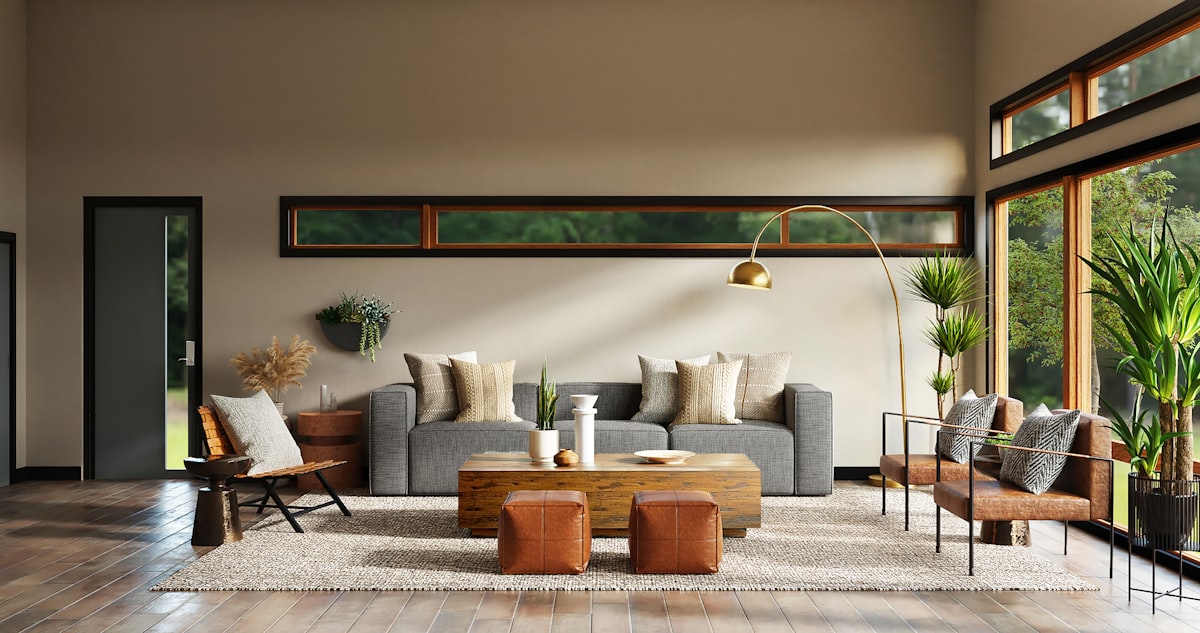
What to look for in interior design rendering software
Speed at the proposal stage A render is most useful while you're still sitting with the client. Software that returns results in seconds keeps the conversation moving toward a yes. Software that takes hours forces you to reschedule — and a rescheduled pitch is a colder pitch.
Photorealism, not a cartoon render Clients expect a polished result, and a rough, stylized render can undercut their confidence in the design itself rather than build it. Look for software trained on real interior photography, not generic 3D renders that look like a video game.
No specialist skills required If only your most technical team member can run the tool, it won't get used consistently. The software that actually earns its keep is the one anyone on your team can pick up in a single sitting.
Style and category range The tool needs to cover the styles your clients actually ask for. Confirm the platform handles your studio's core categories before you commit to it.
Data privacy A client's home photo is personal information, not stock content. Look for software built to meet the privacy regulations relevant to your business — GDPR where applicable — and confirm client uploads are never used to train AI models.
Why choose Makeover for interior design previews
Most rendering software is built for architects and 3D specialists first, designers second. Makeover is built the other way around — for people whose core skill is design, not software.
- 10-second previews from a real room photo, with no 3D model required
- Photorealistic output, trained on real interior photography rather than stylized renders
- No modeling skills needed — any team member can run a preview during a client meeting
- Multiple design styles — modern, minimalist, Scandinavian, warm contemporary, industrial, and more, configured to your studio
- Built compliant — retention policy is your studio's call, but the build meets GDPR and other regulations relevant to your market, and client photos are never used for AI training
- Bespoke setup, not an off-the-shelf app — your preview tool is scoped and configured around how your studio already runs consultations, not a one-size-fits-all template
We don't replace your design software. We give the client conversation a visual anchor that closes proposals faster and sets expectations correctly from day one.
The bottom line
Interior design rendering software is no longer a nice-to-have — clients now expect to see their space before they commit to it. Designers who bring a visual to the proposal close more work, lose fewer clients to revision disputes, and build a stronger reputation faster than those still relying on mood boards and verbal pitches. Makeover puts that visual in your hands in under 10 seconds.
Win your next client proposal. Share your details with Makeover — get a custom preview tool scoped to your studio