Show brand execs and landlords your pop-up inside the actual unit — before the lease is signed
Photograph the vacant space. Makeover composites your fixtures, signage, and displays into that exact unit in seconds, so the people approving budget and build-out see the real activation — not a CGI render on a stock white floor.
Custom-built for your industry · No commitment
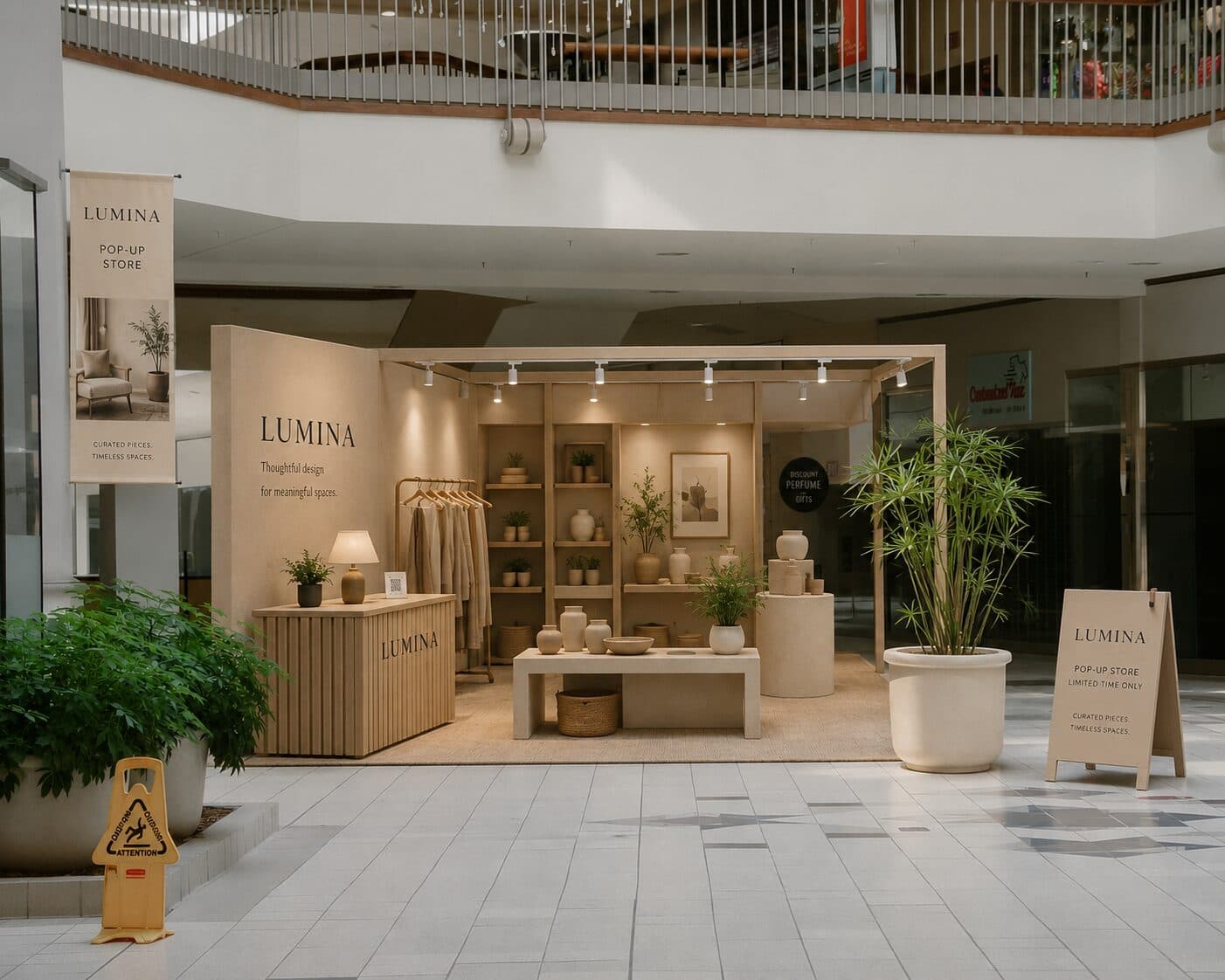
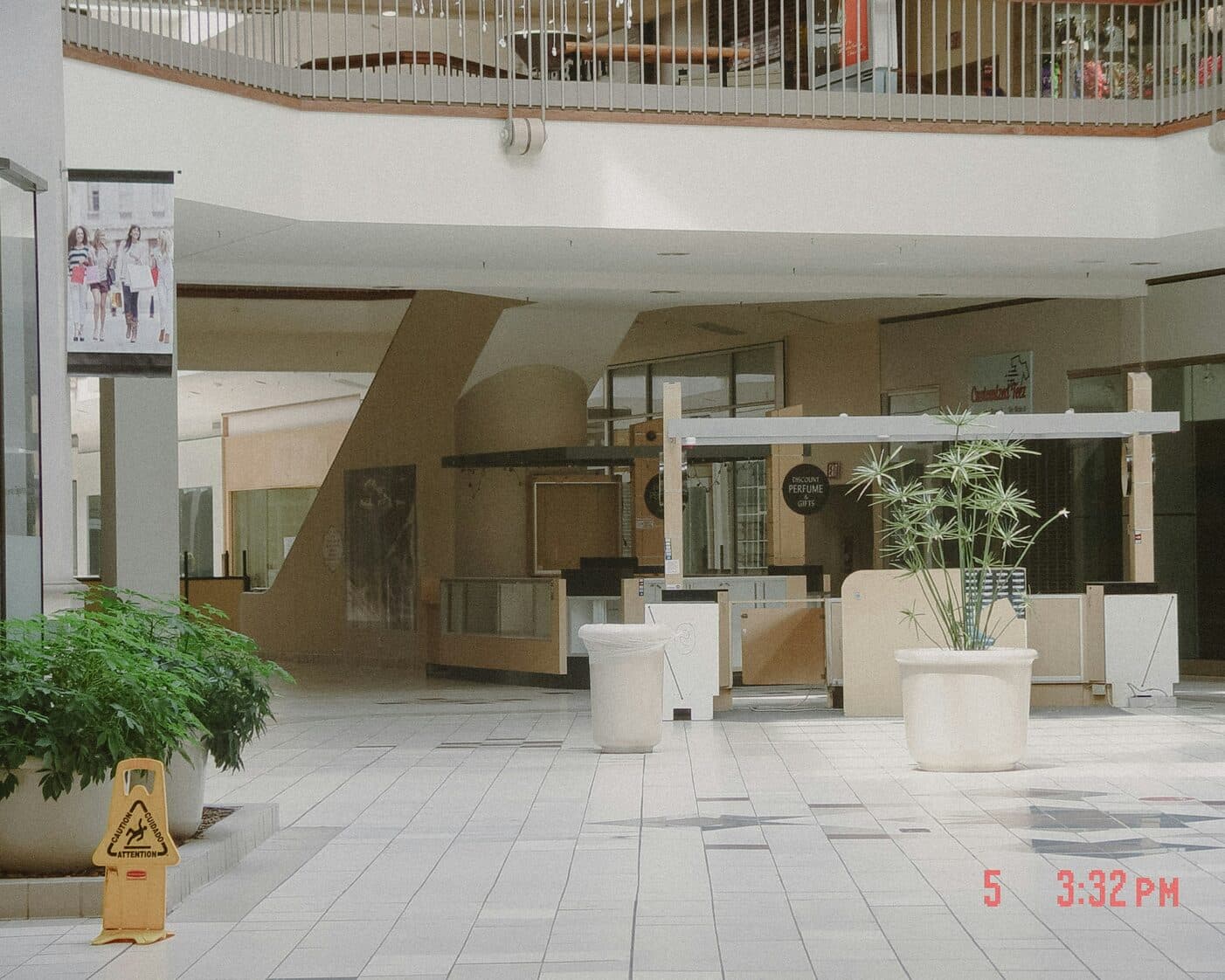
Drag the slider to compare
What is a pop-up shop design preview?
A pop-up shop design preview tool uses AI to show a temporary retail concept — fixtures, signage, product displays, and finishes — composited into the actual vacant unit, rather than an isolated CGI render on a studio background. The designer or brand team photographs the empty space, and the tool generates a photorealistic image of the finished activation inside that exact storefront, with its real dimensions, ceiling height, and window line intact. Retail brands, experiential agencies, and property managers use this to secure budget and landlord approval before signing a short-term lease or committing to a fixture build.
Why it matters
A pop-up build runs anywhere from roughly $8,000 for a mall RMU with off-the-shelf fixtures to $250,000+ for a fully branded flagship activation with custom millwork and AV. Every dollar of that gets committed against a design nobody has stood inside, because the space doesn't exist as a finished thing yet — the agency's CGI render was built in a studio, not against the actual unit's ceiling height, column placement, or storefront glass. The friction isn't taste, it's trust: budget owners are signing off on a floor plan and a mood board for a structure that will be built and torn down inside a single fiscal quarter, usually against a launch date — a product drop, a holiday season, a fashion week slot — that will not move. A preview shot inside the real unit collapses that trust gap in one meeting instead of three rounds of agency revisions.
Who uses this
Visual merchandising managers use it to test fixture layouts against the exact footprint before placing a fabrication order. Experiential and retail design agencies use it in the pitch deck to win client approval in the first meeting instead of coming back with revised renders twice more. Brand marketing directors use it to get CMO and finance approval on activation budget without flying anyone to the site. Property managers and leasing teams at malls and landlords use it to review a tenant's proposed build-out against actual unit conditions before issuing a construction permit.
Heard this on a pop-up launch?
The agency's render looks incredible on a white studio background — then someone asks what it looks like against your unit's low drop ceiling and the support column six feet from the entrance, and nobody can answer.
The landlord wants to see the actual build before signing off on permits, and a floor plan with fabric swatches isn't enough to get a signature on the lease.
The activation opens in five weeks against a launch date that isn't moving, and the brand team is still on a third round of concept revisions because nobody agreed on the fixture layout from a mood board.
How pop-up shop design previews work
Three steps. Under 10 seconds. No design skills needed.
Photograph the vacant unit
Walk the empty space with a phone camera — bare walls, concrete floor, ceiling height, storefront glass, any columns or awkward angles. No CAD file required.
AI generates the pop-up in that exact space
Fixtures, signage, product displays, flooring, and window graphics get composited into the real unit — its dimensions, its light, its constraints — not a stock retail interior.
Present for sign-off
Brand execs, landlords, and finance see the activation inside the unit they're actually leasing. Approval happens in the room, not after a third revision round.
Common questions about pop-up shop design
Straight answers. No jargon.
Let's build the version made for your business
Every preview on this site is a variation of the same engine, tuned to one industry. Tell us about yours, and we'll show you exactly what we'd build for it.
We reply within one business day