Show homeowners their house in the new color before you leave the driveway
Photograph the front elevation. Makeover generates a photorealistic color preview on their actual siding, trim, and roofline in under 10 seconds — not a chip held against the wall, their whole house in the color they're afraid to commit to.
Custom-built for your industry · No commitment
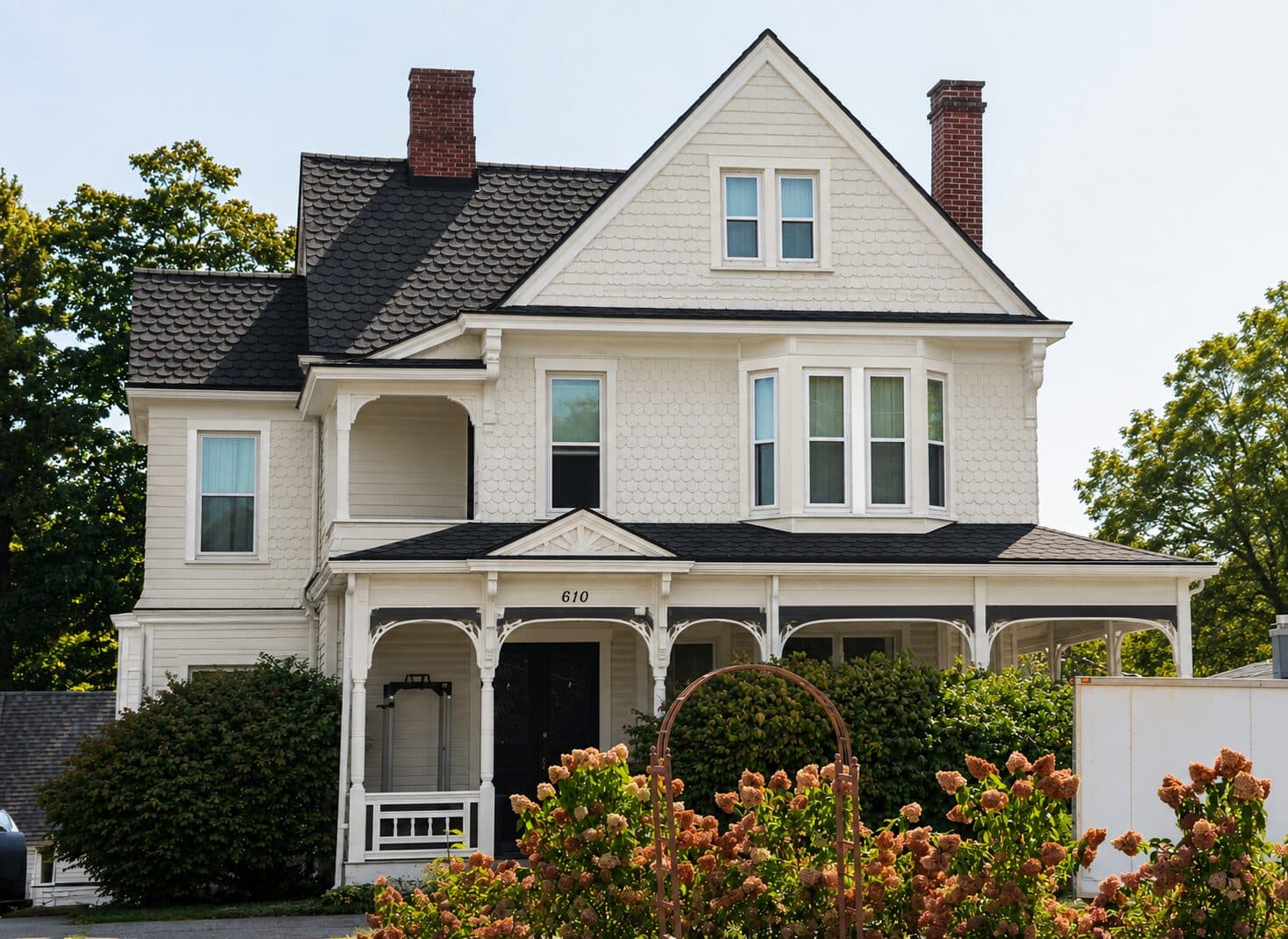
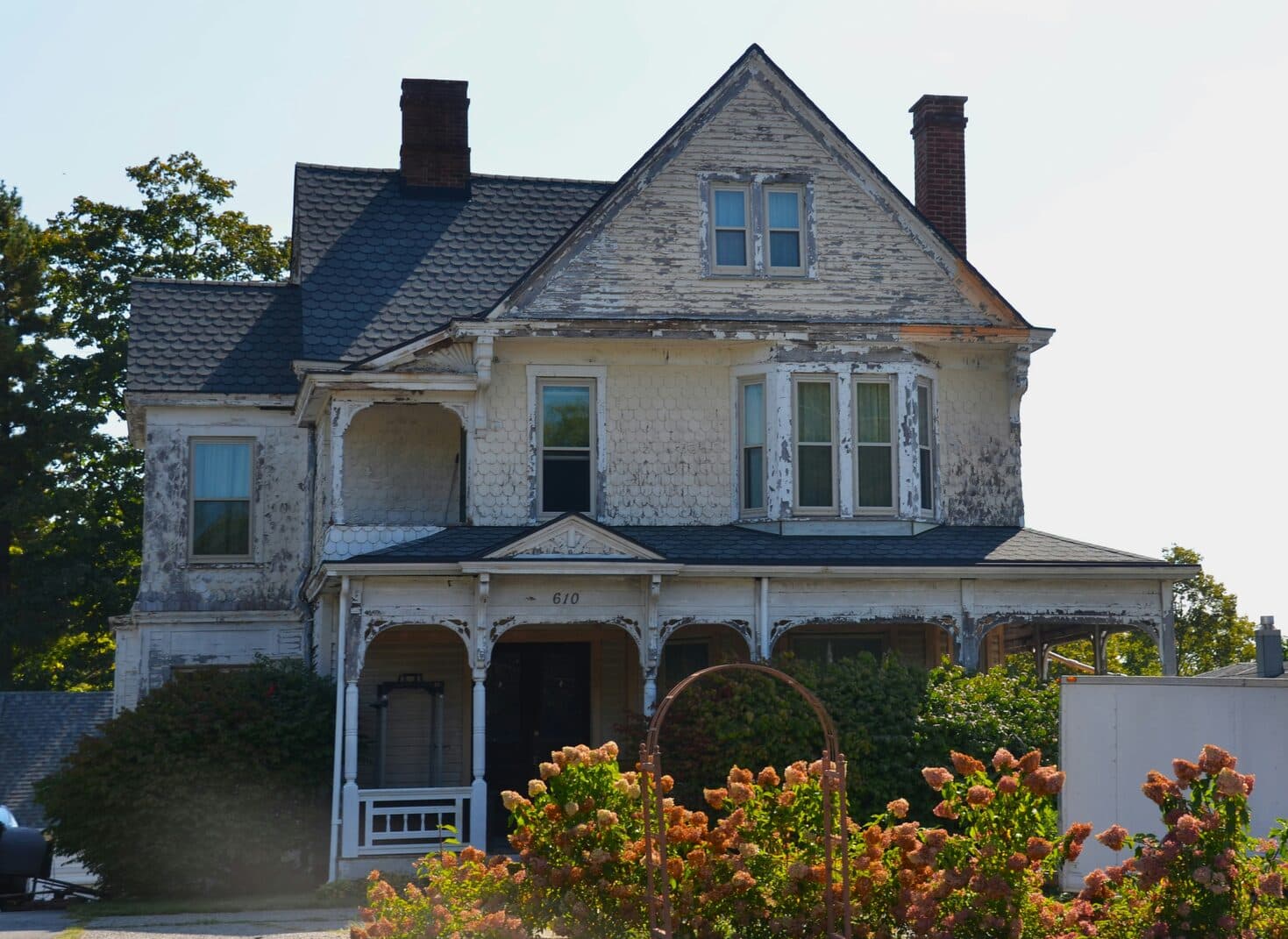
Drag the slider to compare
What is a exterior paint preview?
An exterior paint preview tool uses AI to generate a photorealistic image of a house in a new paint color, siding material, or trim scheme before any work begins. The contractor or estimator photographs the home's front elevation, and the tool renders the chosen body, trim, door, and shutter colors directly onto the home's actual siding, brick, or stucco texture. Painting contractors, paint retailers, and exterior remodeling companies use this on-site during estimates so homeowners can approve a full color scheme instead of stalling on a decision.
Why it matters
A full exterior repaint on an average single-family home runs $4,500–$12,000, and a coordinated body-trim-accent scheme carries real margin over a flat single-color job — but color indecision is what kills that upsell. The same swatch looks warm and confident at 8am and flat and regrettable by 4pm, and no fan deck or paint chip prepares a homeowner for that shift across 1,500–2,000 square feet of siding. Most homeowners end up choosing the same beige or gray as the house next door, not because they want it, but because it's the only choice they're confident won't be a five-figure regret. A preview built on their actual house — their siding material, their roofline, their shadow lines — turns "we need to think about it" into a signed estimate before you're back in the truck.
Who uses this
Exterior painting contractors and estimators use it on the walkthrough to lock in a color scheme before leaving the driveway. Paint retailer consultants and franchise operators use it at the counter or during in-home visits to sell full-house color systems instead of single gallons. Real estate agents preparing a listing use it to test whether a repaint is worth recommending to a seller before anyone commits budget to it.
Heard this from a homeowner?
They hold a paint chip up to the siding, squint at it in the driveway light, and say they need to "live with it" for a few weeks before deciding.
You suggest a navy body with white trim and a black door. They say "I can't picture three colors on my own house at once" and default to the same tan every other house on the block already has.
They worry the new color will clash with the roof, the brick foundation, or the neighbor's house next door — and cancel the estimate rather than risk getting it wrong.
How exterior paint previews work
Three steps. Under 10 seconds. No design skills needed.
Photograph the front elevation
One straight-on phone photo of the facade in daylight. It captures the siding material, trim lines, roofline, and any brick or stone that won't be painted.
AI generates the color scheme preview
The model applies the chosen body, trim, shutter, and door colors to the home's actual siding texture — vinyl lap, wood clapboard, stucco, or fiber cement all render differently, and the tool respects that.
Present the estimate on the spot
Their own house, in the finished color scheme, before you're back in the truck. The homeowner signs off on a scheme they've already seen, not one they're imagining.
Common questions about exterior paint
Straight answers. No jargon.
Let's build the version made for your business
Every preview on this site is a variation of the same engine, tuned to one industry. Tell us about yours, and we'll show you exactly what we'd build for it.
We reply within one business day