Show homeowners their exact slab in their own kitchen before they leave the showroom
Photograph the kitchen. Makeover generates a photorealistic preview with the customer's chosen slab, edge profile, and backsplash pairing in seconds — their cabinets, their lighting, their layout, not a palm-sized sample chip held under warehouse lights.
Custom-built for your industry · No commitment
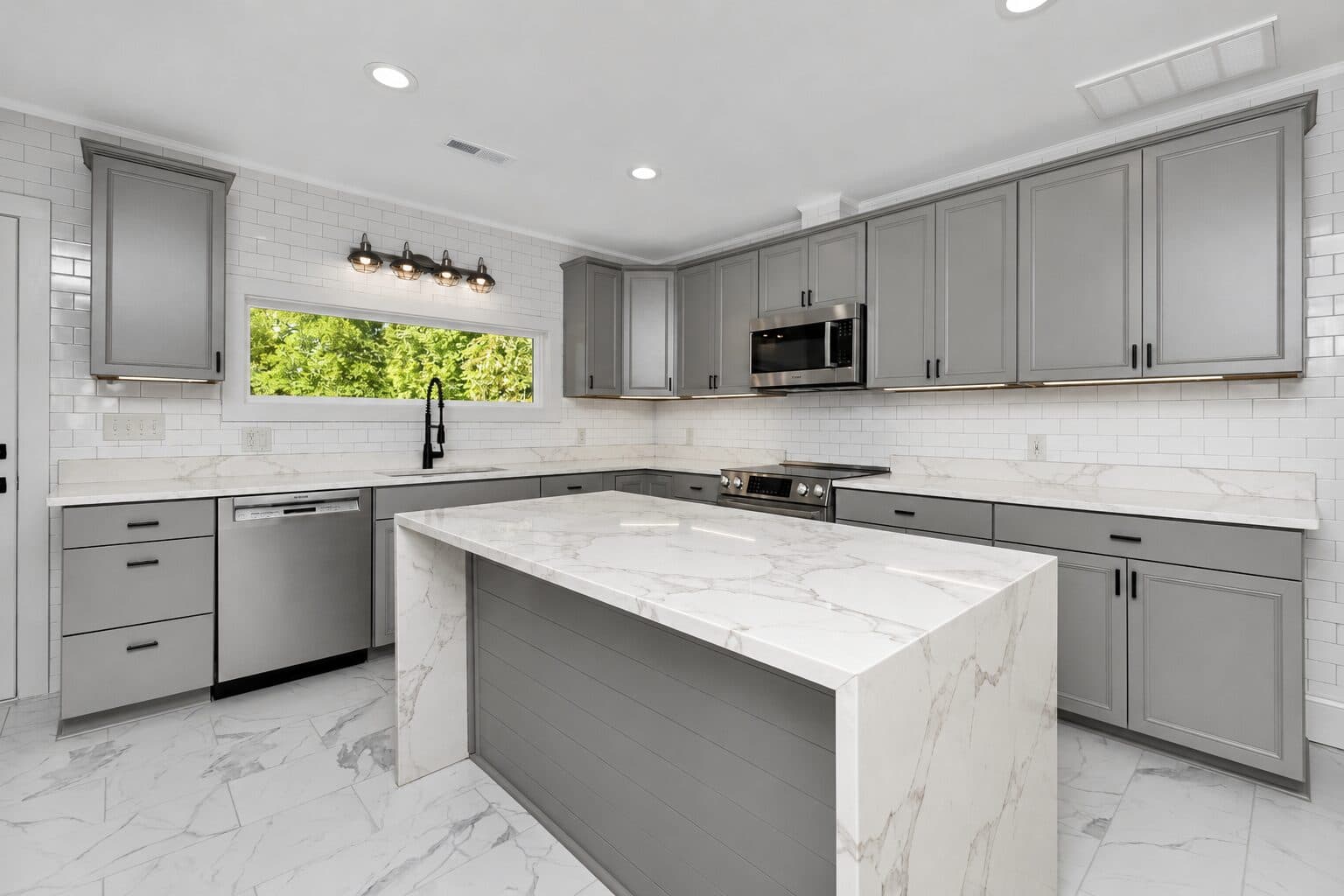
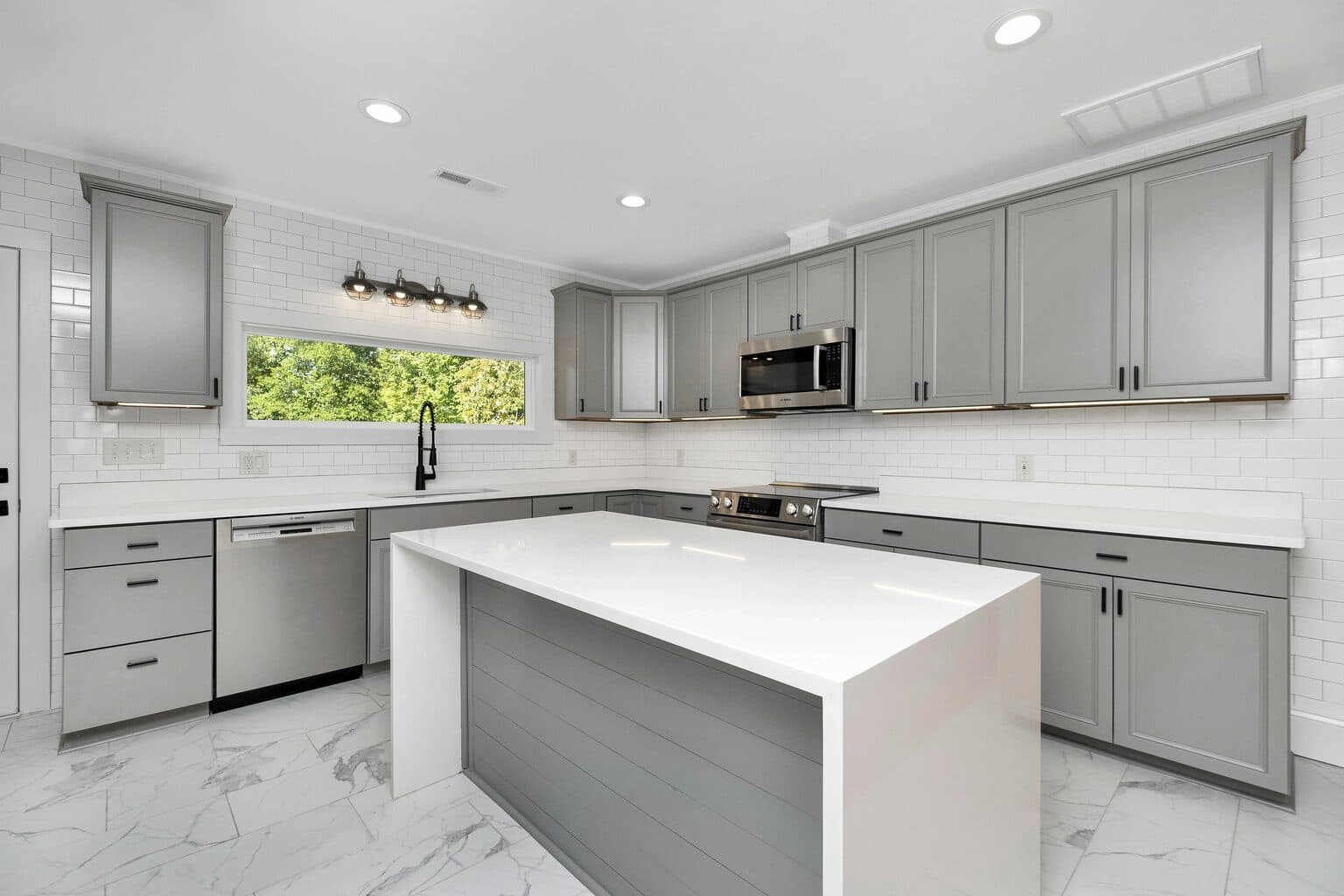
Drag the slider to compare
What is a countertop preview preview?
A countertop preview tool uses AI to generate a photorealistic image of a kitchen or bathroom with a specific countertop material applied to the existing cabinetry and layout. The fabricator or showroom rep photographs the customer's kitchen, selects the slab, color, and edge profile, and the tool renders the counters, island, and backsplash in that material within seconds — in the customer's own space, not a handheld sample chip. Stone yards, cabinet dealers, and remodeling contractors use it during the material-selection meeting to move a customer from "I need to think about it" to a signed work order in one visit.
Why it matters
A full kitchen countertop job typically runs $3,000–$9,000 for granite or quartz, more for quartzite, marble, or a waterfall island — real money for a surface most homeowners have never shopped for before. The friction isn't the price, it's the leap of faith: a 12x12 sample or a slab standing on end in a warehouse rack looks nothing like it will laid flat under kitchen lighting next to their actual cabinets. So customers do the thing every fabricator dreads — they take phone photos of three slabs, say they'll "think it over," visit two more stone yards, and either stall for weeks or buy from whichever showroom happened to have a display kitchen closest to their cabinet color. A preview removes the guesswork at the exact moment they're standing in front of the slab.
Who uses this
Countertop fabricators and their showroom sales reps, who use it at the sales counter the moment a customer picks a slab off the rack. Kitchen and bath designers running full remodels, who use it to lock the material decision before templating gets scheduled. Cabinet dealers who sell countertops as an attached line item and need the customer to commit before the cabinet order ships. General contractors on kitchen remodel jobs where an undecided client is holding up the whole schedule.
Heard this from a homeowner?
A homeowner stands in the slab yard for an hour, takes forty photos of granite remnants under warehouse fluorescents, and still says "I can't tell what this will look like against my cabinets."
They ask "will the veining look too busy across the whole island?" — a 12x12 sample board can't answer that, and a 9-foot slab reads completely differently once it's cut and seamed.
They put a hold on a slab, say they need to "see it at home first," and never come back — because a competitor's showroom had a display kitchen closer to their cabinet color.
How countertop preview previews work
Three steps. Under 10 seconds. No design skills needed.
Photograph the kitchen
Existing counters or bare cabinets, any phone camera, no special lighting rig. Works whether the old top is still installed or already demoed.
AI generates the slab preview
The model applies the selected material, veining or pattern, edge profile, and sink cutout to the counters, island, and backsplash while preserving cabinet color, hardware, and kitchen geometry.
Present at the sales counter
Same visit, same slab they just picked off the rack — now sitting in their actual kitchen. Close the material decision before they walk out with just a swatch.
Common questions about countertop preview
Straight answers. No jargon.
Let's build the version made for your business
Every preview on this site is a variation of the same engine, tuned to one industry. Tell us about yours, and we'll show you exactly what we'd build for it.
We reply within one business day